One of the most common problems that our teams deal with is ensuring that SSL certificates are up-to update and working correctly for more than 350 websites.
Dealing with a lot of work, production and incidents will not allow us to analyze each website and verify it, and we must make sure all websites are up/secure and running and we do not want to have an accident caused by an expired certificate.
More than that, we have some websites under a private azure application gateway and others using public application gateways, we also have some websites Secured by WAF (Web Application Firewall) so we wanted to identify and organize that in an excel file that will contain all the info’s and we can share that with all the team members.
By that, we can have a full view of all our websites, and we can prevent such accidents by having tasks that run daily and testing all the SSL endpoints that we have, and sending a report about The certification expiration info,
under Application Gateway or not (private or public), secured WAF or not … this info will not only help us to verify the SSL end day but also understand what we have in our environment, and if we have a problem we go directly there.
For that, I ended up writing this PowerShell script that will generate a csv file and we will test it on my website
param(
  [Parameter(Mandatory = $False, Position = 0, ValueFromPipeline = $false)]
  [System.Int32]
  $minimumCertAgeDays = 30
)

#get the list of links to scan
$NameList = get-content C:\ssl\SSLDEMO\urls.txt
$Results = @()

#SSL variables
#$minimumCertAgeDays = 60
$timeoutMilliseconds = 15000
#disabling the cert validation check. This is what makes this whole thing work with invalid certs...
[Net.ServicePointManager]::ServerCertificateValidationCallback = { $true }


foreach ($Name in $NameList) {
  $OutputObject = "" | Select-Object Type, OriginUrl, Name,Hostnames,Gateway, IPAddress, Status, SSLStartDAY, SSLENDDAY, SSENDINDAYS, StatusSSLMinAge, ErrorMessage
  try {

    $domain = ([System.URI]$Name).host.Trim()
    $dnsRecord = Resolve-DnsName $domain
    $OutputObject.Name = $($dnsRecord.Name -join ',')
    $OutputObject.OriginUrl = $Name
    $OutputObject.Type = $($dnsRecord.Type -join ',')
    $OutputObject.IPAddress = ($dnsRecord.IPAddress -join ',')
    switch ($dnsRecord.IPAddress)
                        {
                            $ipGatewayOne
                            {
                               $OutputObject.Gateway = 'Gateway1'
                            }

                            #Default state
                            Default
                            {
                                 $OutputObject.Gateway = ''
                            }
                        }
    $OutputObject.Status = 'OK'
    $OutputObject.ErrorMessage = ''
    $OutputObject.Hostnames=($dnsRecord.NameHost -join ',')
    #SSL STUFF
    Write-Host Checking $Name -f Green
    $req = [Net.HttpWebRequest]::Create($Name)
    $req.Timeout = $timeoutMilliseconds
    $req.AllowAutoRedirect = $true
    try {
      $req.GetResponse() | Out-Null
    }
    catch {

      Write-Host Exception while checking URL $Name`: $_ -f Red
    }

    $certExpiresOnString = $req.ServicePoint.Certificate.GetExpirationDateString()
    #Write-Host "Certificate expires on (string): $certExpiresOnString"
    [datetime]$expiration = [System.DateTime]::Parse($req.ServicePoint.Certificate.GetExpirationDateString())
    #Write-Host "Certificate expires on (datetime): $expiration"
    [int]$certExpiresIn = ($expiration - $(get-date)).Days
    $certName = $req.ServicePoint.Certificate.GetName()
    $certPublicKeyString = $req.ServicePoint.Certificate.GetPublicKeyString()
    $certSerialNumber = $req.ServicePoint.Certificate.GetSerialNumberString()
    $certThumbprint = $req.ServicePoint.Certificate.GetCertHashString()
    $certEffectiveDate = $req.ServicePoint.Certificate.GetEffectiveDateString()
    $certIssuer = $req.ServicePoint.Certificate.GetIssuerName()
    $OutputObject.SSLStartDAY = $certEffectiveDate
    $OutputObject.SSLENDDAY = $expiration
    $OutputObject.SSENDINDAYS = $certExpiresIn

    if ($certExpiresIn -gt $minimumCertAgeDays)
    {
      Write-Host Cert for site $Name expires in $certExpiresIn days [on $expiration] -f Green
      $OutputObject.StatusSSLMinAge = 'ok'

    }
    else {

      Write-Host WARNING: Cert for site $Name expires in $certExpiresIn days [on $expiration] -f Red
      $OutputObject.StatusSSLMinAge = 'ko'

    }


    #END SSL STUFF

  }

  catch {
    $OutputObject.Name = $Name
    $OutputObject.IPAddress = ''
    $OutputObject.Status = 'NOT_OK'
    $OutputObject.ErrorMessage = $_.Exception.Message
  }

    $Results += $OutputObject

}

return $Results | Export-Csv C:\ssl\SSLDEMO\sslresultsnew.csv -NoTypeInformation
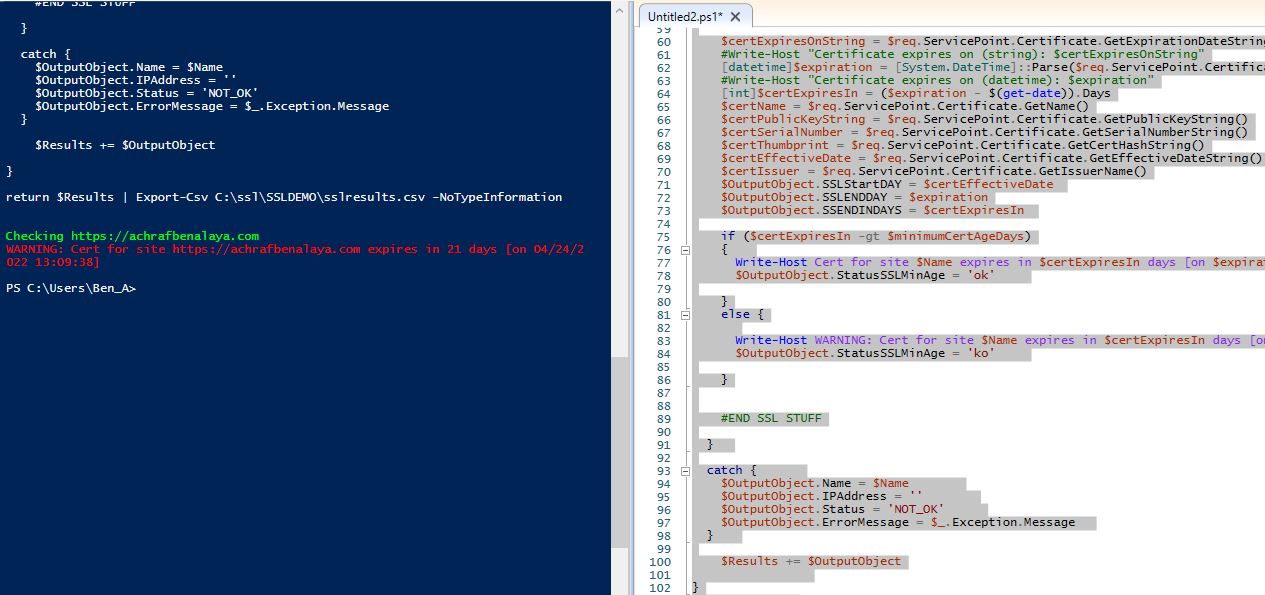
Results in Powershell :

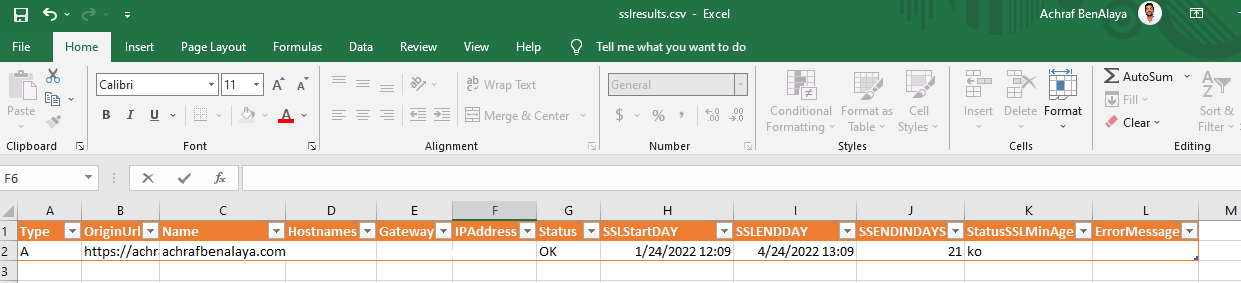 Now I have tested this code with more than 400 URLs together.
All you have to do is to point to a text file that contains the URLs starting with: https://
Also, in the application gateway, we can manage the renewal of SSL certificate, and I will share a post about this asap.
I hope you enjoy this article