Achraf Ben Alaya
No Result
View All Result
  • Home
  • News
  • Blog
    • blazor
    • c#
    • Cloud
      • Azure
    • docker
    • sql
    • xamarin
    • Dapr
    • Tricks, Tips and Fixes
    • General Tips & Fix
  • AI
  • Cloud
  • Motivation
  • Courses
  • About
    • Resume
    • Privacy Policy
SUBSCRIBE
  • Home
  • News
  • Blog
    • blazor
    • c#
    • Cloud
      • Azure
    • docker
    • sql
    • xamarin
    • Dapr
    • Tricks, Tips and Fixes
    • General Tips & Fix
  • AI
  • Cloud
  • Motivation
  • Courses
  • About
    • Resume
    • Privacy Policy
No Result
View All Result
Achraf Ben Alaya
No Result
View All Result
ADVERTISEMENT
Home Blog

Tools I use with Database

azure data studio/DBeaver/LINQPad/Pgadmin

achraf by achraf
November 7, 2021
in Blog, sql, Tricks, Tips and Fixes
3 min read
0
Tools I use with Database
0
SHARES
834
VIEWS
Share on FacebookShare on Twitter

If you work a lot with  database/tables and you start working on a project that is ongoing and there is already a tons of tables that exists you may get wasted.

D Von Get The Tables GIFs | Tenor

In all the projects I worked on I have used SQL server, recently I worked on a project that uses Postgresql, and there was like a thousand table and I’m completely lost trying out to understand the schema, the relation between the tables, and where I can find my data, it was really exhausting figuring out the relation between certain tables and for that, I was looking for a tool that can help me/us and there were a few suggestions by the team members that I wanted to share with you.

Pgadmin :


PGAdmin is a web-based GUI tool used to interact with the Postgres database sessions, both locally and remote servers as well. You can use PGAdmin to perform any sort of database administration required for a Postgres database.

Baisser l'impact de l'utilisation de PgAdmin 4 sur PostgreSQL

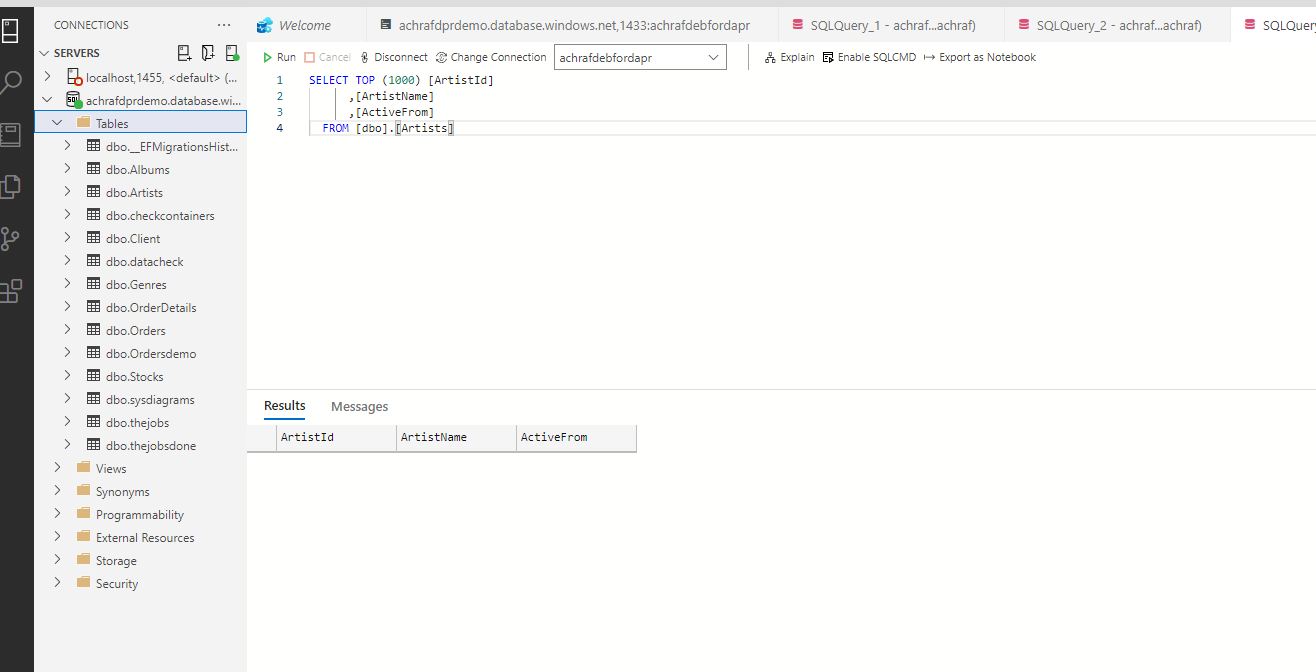
Azure Data Studio

Azure Data Studio is a cross-platform database tool for data professionals using on-premises and cloud data platforms on Windows, macOS, and Linux. Azure Data Studio offers a modern editor experience with IntelliSense, code snippets, source control integration, and an integrated terminal.

DBeaver

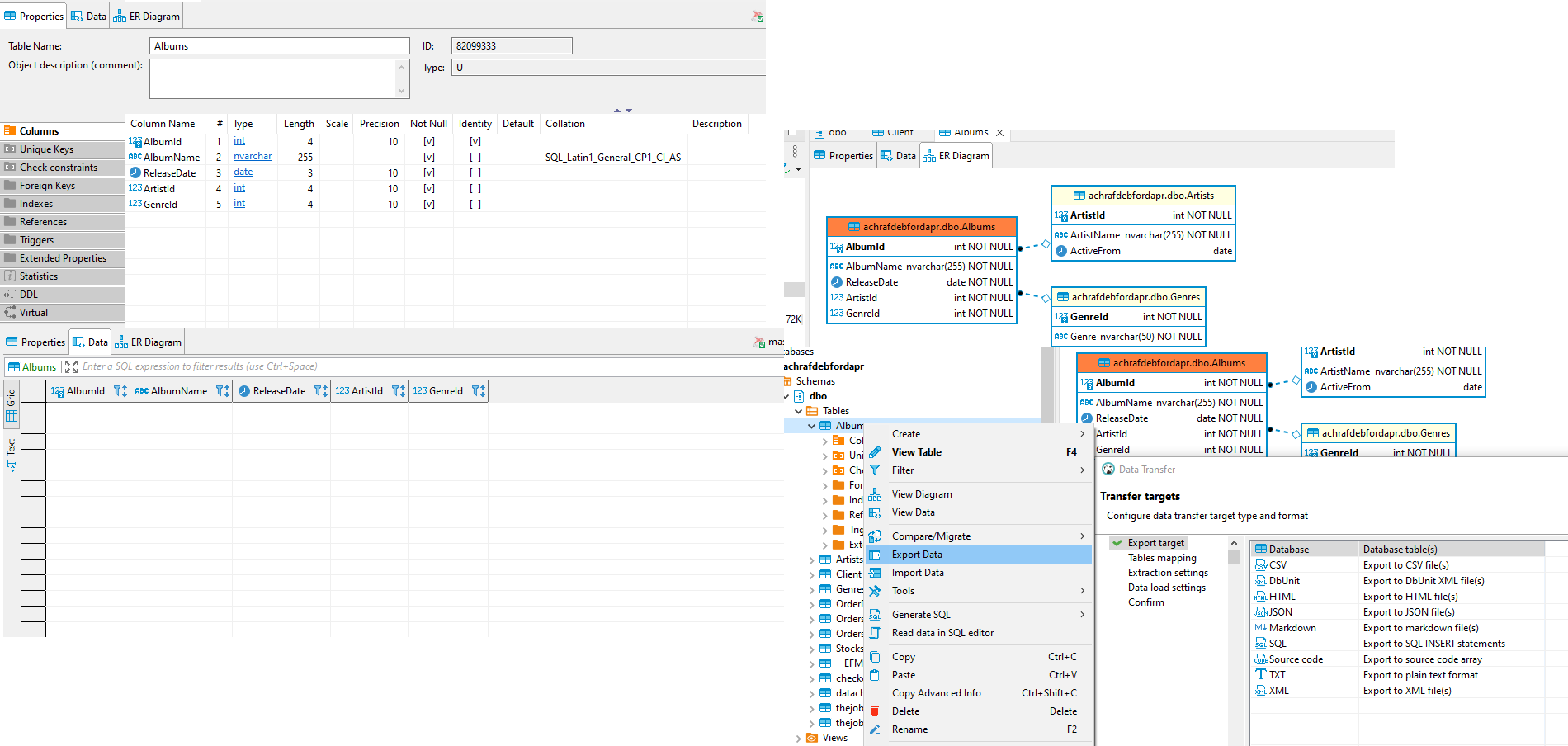
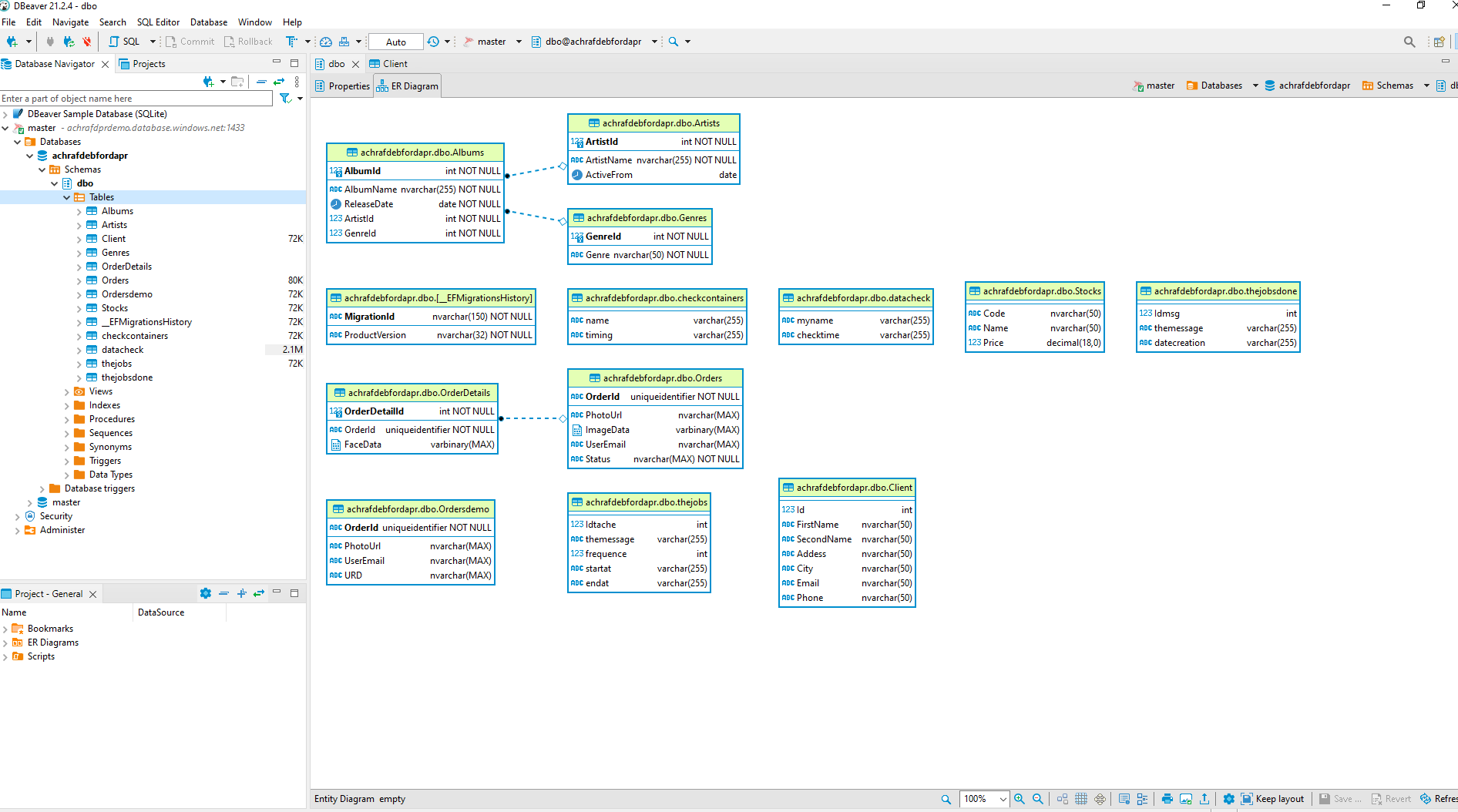
DBeaver is a free, open source multiplatform database management tool and SQL client for developers and database administrators. DBeaver can be used to access any database or cloud application that has an ODBC or JDBC driver, such as Oracle, SQL Server, MySQl, Salesforce, or MailChimp.
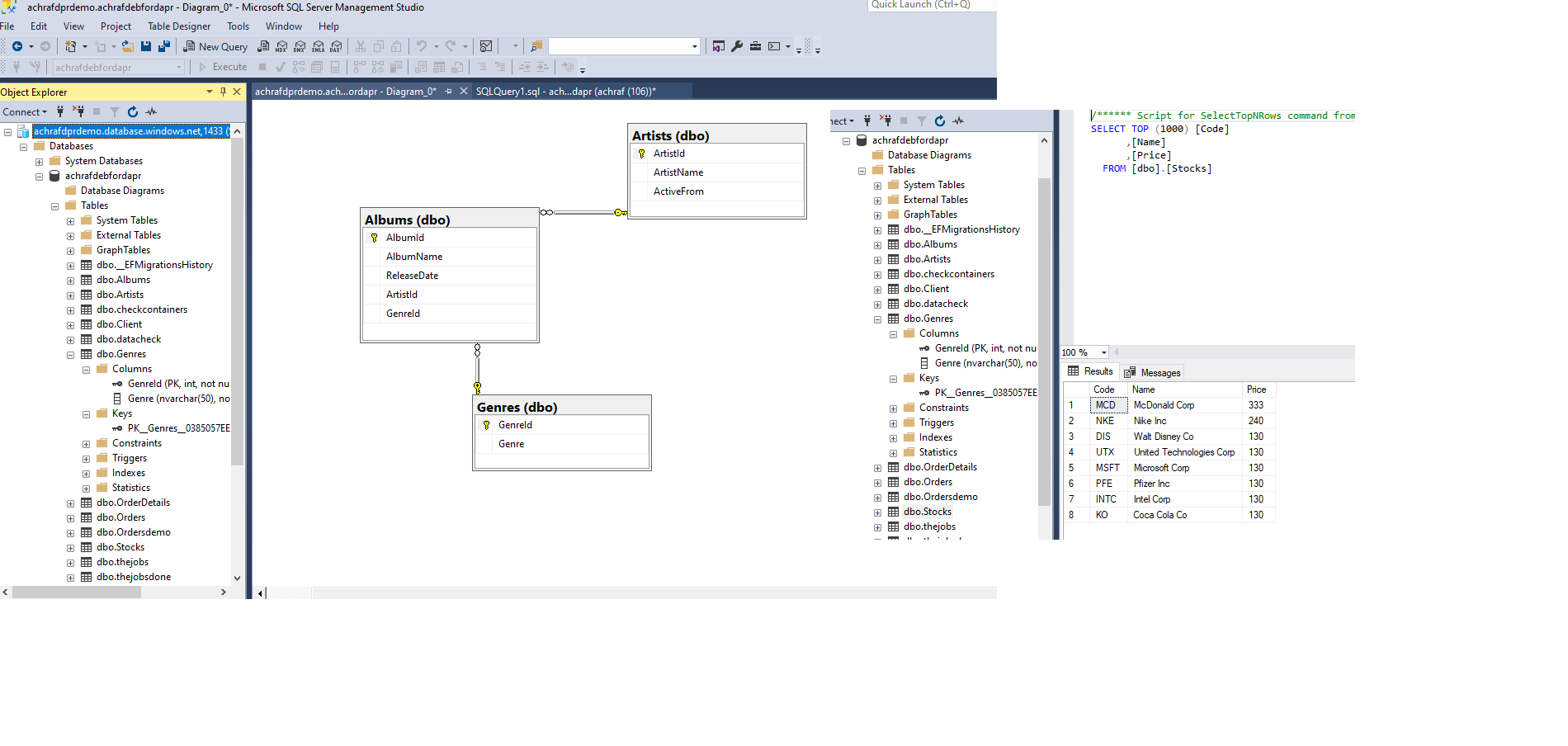
For me , this is the most awesome tool to connect and see your tables and  diagrams and let me show you why :

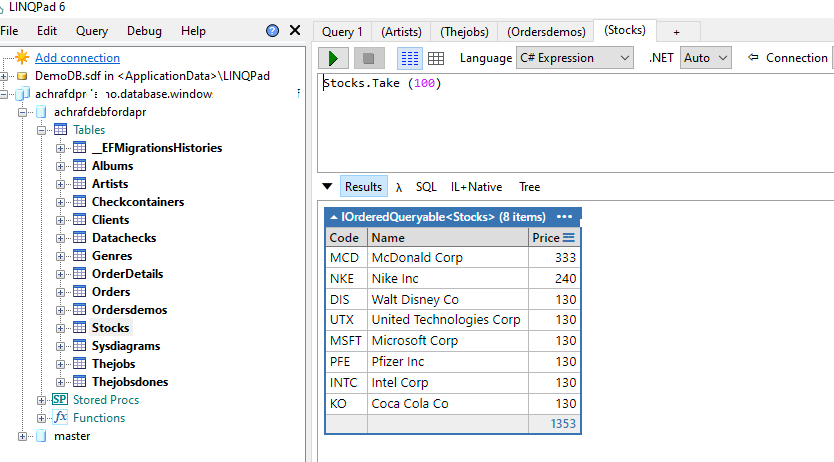
LINQPad

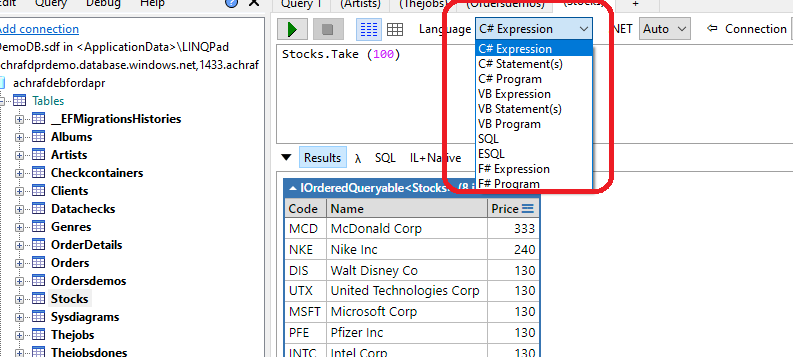
LINQPad is a software utility targeted at . NET Framework and . NET Core development. It is used to interactively query SQL databases (among other data sources such as OData or WCF Data Services) using LINQ, as well as interactively writing C# code without the need for an IDE.
SQL management studio
Well, those were a couple of tools I used and I have been using, and hope this was helpful for you.


 

ShareTweet
Previous Post

Configure postman / newman API tests in Azure DevOps

Next Post

Microsoft Ignite Cloud Skills Challenge November 2021 : Learn…and get rewarded (only 3 days left)

Related Posts

Blog

 2025 – Certifications, Community, and 50K Views

December 28, 2025
52
Azure

From Manual Terraform to AI-Assisted DevOps: Building an Azure Container Platform (Part 1)

December 23, 2025
39
AI

Build and Host an Expense Tracking MCP Server with Azure Functions

November 2, 2025
714
Azure

Log Analytics Workspace Chaos: How We Tamed 100+ Orphaned Workspaces

October 17, 2025
210
Azure

Honored to be recognized as a Microsoft Azure MVP for 2025-2026

July 20, 2025
137
AI

Model Context Protocol (MCP): The Future of AI Integration

April 21, 2025
320
Next Post
Microsoft Ignite Cloud Skills Challenge November 2021 :  Learn…and get rewarded (only 3 days left)

Microsoft Ignite Cloud Skills Challenge November 2021 : Learn...and get rewarded (only 3 days left)

Leave a Reply Cancel reply

Your email address will not be published. Required fields are marked *

Terraform

Certifications

Microsoft certified trainer (MCT)

Recommended

Win free certifications at the Microsoft Build Cloud Skills Challenge | May 2022 🎁

Win free certifications at the Microsoft Build Cloud Skills Challenge | May 2022 🎁

May 28, 2022
286
Sql tips and tricks

Sql tips and tricks

April 26, 2020
256
Auto Post and Schedule Tweets & Linkedin using Azure Logic Apps

Auto Post and Schedule Tweets & Linkedin using Azure Logic Apps

April 14, 2021
652

Build and Host an Expense Tracking MCP Server with Azure Functions

November 2, 2025
714
Block the default URL assigned to the azure web app using azure application gateway

Block the default URL assigned to the azure web app using azure application gateway

May 31, 2023
694
Background Tasks With Hangfire And .Net 5

Background Tasks With Hangfire And .Net 5

January 25, 2021
3.1k
Facebook Twitter LinkedIn Youtube

 2025 – Certifications, Community, and 50K Views

December 28, 2025

From Manual Terraform to AI-Assisted DevOps: Building an Azure Container Platform (Part 1)

December 23, 2025

Build and Host an Expense Tracking MCP Server with Azure Functions

November 2, 2025

Categories

  • AI (3)
  • Apps (1)
  • Azure (67)
  • blazor (2)
  • Blog (94)
  • c# (7)
  • Cloud (69)
  • Courses (4)
  • Dapr (4)
  • docker (4)
  • Games (1)
  • General Tips & Fix (1)
  • Home (1)
  • Kubernetes Service (AKS) (1)
  • motivation (2)
  • Motivation (3)
  • News (9)
  • Resume (1)
  • sql (4)
  • Terrafrom (2)
  • Tricks, Tips and Fixes (4)
  • xamarin (5)
No Result
View All Result
  • Home
  • News
  • Blog
    • blazor
    • c#
    • Cloud
      • Azure
    • docker
    • sql
    • xamarin
    • Dapr
    • Tricks, Tips and Fixes
    • General Tips & Fix
  • AI
  • Cloud
  • Motivation
  • Courses
  • About
    • Resume
    • Privacy Policy