This part belong to a serie of articles about dapr :
- Introduction to dapr
- Service Invocation
- Publish-Subscribe pub/sub
- State management
- Hosting using AKS (Azure Kubernetes Services)
In the previous part, we have created our API and we have seen how to use dapr to expose it, also we have seen how to use the dapr dashboard and also to use zipkin as tracing system .
In this part, we are going to create an MVC project as a Front-end for our solution.
For that we are going to see step by step from adding dapr nuget package to consuming the service .
Creating the MVC Project
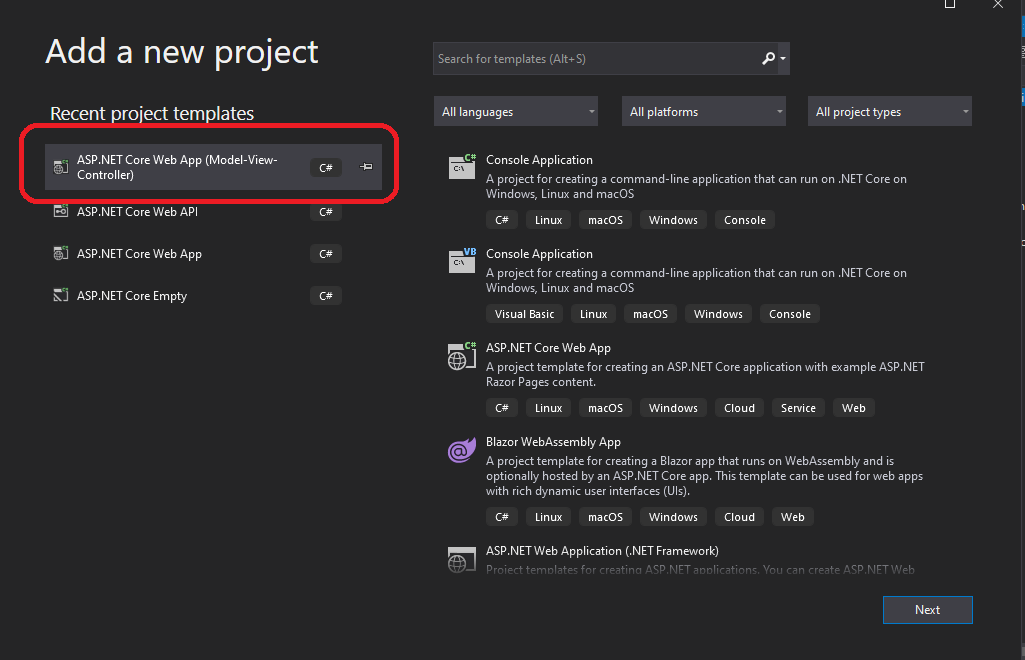
First of all we are going to add a new MVC project to the solution as the follow image below :
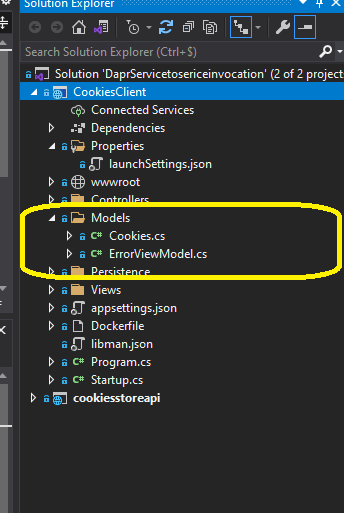
next we are going to create the same model that we have in our API inside Models folder .
 Next thing and before doing anything we need to install our DAPR NUGET PACKAGE :
Install-Package Dapr.AspNetCore -Version 1.3.0
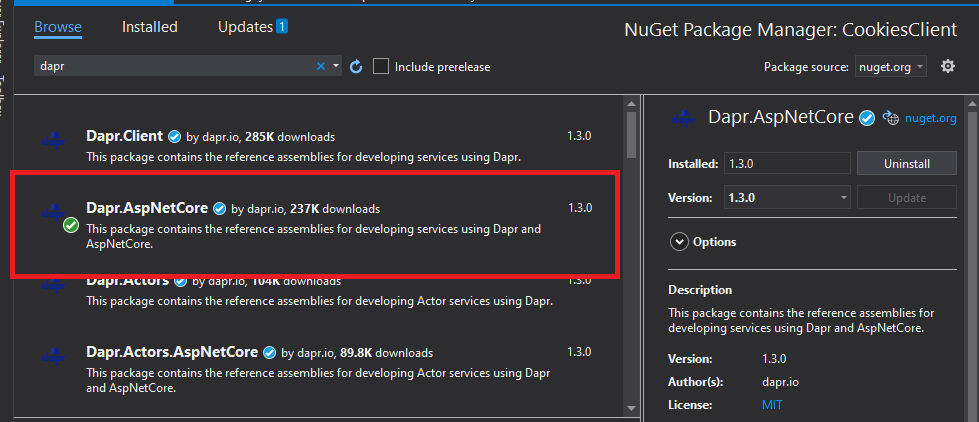
now we need to configure ConfigureServices by adding dapr :
services.AddControllersWithViews().AddDapr();
Also inside the Configure method we need to add :
app.UseCloudEvents();
CloudEvents receive every incoming request with the content type of “application/cloudevents+json” .
Now we can go on and start creating our methods.
public interface IBroRepository
   {
       Task<IEnumerable<Cookies>> Getcookies();

   }
public class BroRepository : IBroRepository
  {
      private readonly HttpClient _httpClient;

      public BroRepository(HttpClient httpClient)
      {
          _httpClient = httpClient ?? throw new ArgumentNullException(nameof(httpClient));
      }

      public async Task<IEnumerable<Cookies>> Getcookies()
      {
          return await _httpClient.
                GetFromJsonAsync<IEnumerable<Cookies>>("/api/cookies");
      }
  }
As you can see inside the BroRepository we are calling the cookies API from the Getcookies() .
Now we need to register our service by adding a singleton and as you can see we are invoking an HTTP client that is calling the API using the app ID that we have created while running the service using dapr .
services.AddSingleton<IBroRepository, BroRepository>(_ => new BroRepository(DaprClient.CreateInvokeHttpClient("cookiesstoreapi")));
Now we can create our controller :
public class HomeController : Controller
  {
      private readonly ILogger<HomeController> _logger;
      private readonly IBroRepository _IBroRepository;

      public HomeController(ILogger<HomeController> logger, IBroRepository IBroRepository)
      {
          _logger = logger;
          _IBroRepository = IBroRepository;
      }

      public async Task<IActionResult> Index()
      {
          //logging info
          _logger.LogInformation("Entered Index method");
          var data = await _IBroRepository.Getcookies();
          //logging info
          _logger.LogInformation($"Returning data {JsonSerializer.Serialize(data)}");
          return View(data);
      }


  }
Next we add our view page :
@model IEnumerable<Cookies>
@{
    ViewData["Title"] = "Home Page";
}

<div class="text-center">
    <h1 class="display-4">Welcome</h1>
    <p>Learn about <a href="https://docs.microsoft.com/aspnet/core">building Web apps with ASP.NET Core and Dapr</a>.</p>
</div>

<table class="table">
    <thead>
        <tr>
            <th>GUID</th>
            <th>Name</th>
            <th>Date (C)</th>
            <th>Picture</th>

        </tr>
    </thead>
    <tbody>
        @foreach (var cookie in @Model)
        {
        <tr>
            <td>@cookie.ID</td>
            <td>@cookie.Name</td>
            <td>@cookie.Date</td>
            <td>
                <div style="margin: 0 auto; width: 90px">
                    <img src=@cookie.ImageUrl     alt="me" style="width: 90px" />
                </div>

            </td>

        </tr>
        }
    </tbody>
</table>
Next, we start the ASP.NET Core API , listening on HTTP port 5001, and dapr on port 50001,also we start the ASP.NET Core Client, listening on HTTP port 5002, and dapr on port 50002:
Ps: make sure Docker is up and dapr containers are running.
dapr run --app-id cookiesstoreapi --app-port 5001  --dapr-http-port 50001 dotnet run

dapr run --app-id CookiesClient --app-port 5002  --dapr-http-port 50002 dotnet run
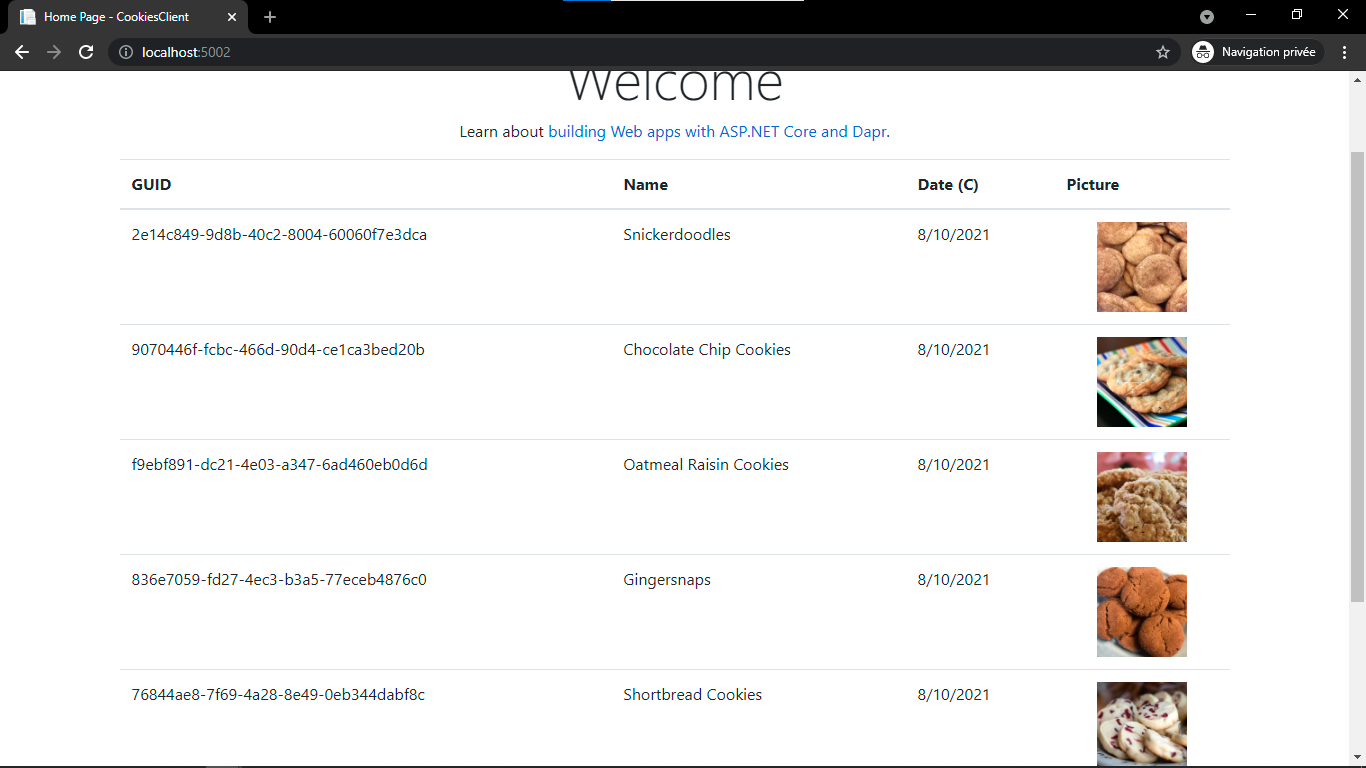
As you can see by visiting the http://localhost:5002/ we can see our website up and running!
Dapr also supports the following features through HTTP/gRPC to implement the sidecar pattern:
- State management.
- Publish and subscribe.
- Resource bindings & triggers.
- Actor runtime.
- Distributed tracing.