Achraf Ben Alaya
No Result
View All Result
  • Home
  • News
  • Blog
    • blazor
    • c#
    • Cloud
      • Azure
    • docker
    • sql
    • xamarin
    • Dapr
    • Tricks, Tips and Fixes
    • General Tips & Fix
  • AI
  • Cloud
  • Motivation
  • Courses
  • About
    • Resume
    • Privacy Policy
SUBSCRIBE
  • Home
  • News
  • Blog
    • blazor
    • c#
    • Cloud
      • Azure
    • docker
    • sql
    • xamarin
    • Dapr
    • Tricks, Tips and Fixes
    • General Tips & Fix
  • AI
  • Cloud
  • Motivation
  • Courses
  • About
    • Resume
    • Privacy Policy
No Result
View All Result
Achraf Ben Alaya
No Result
View All Result
ADVERTISEMENT
Home Blog Cloud Azure

Auto Post and Schedule Tweets & Linkedin using Azure Logic Apps

achraf by achraf
April 14, 2021
in Azure, Blog, Cloud
3 min read
0
Auto Post and Schedule Tweets & Linkedin using Azure Logic Apps
0
SHARES
718
VIEWS
Share on FacebookShare on Twitter

Being busy with tasks and calls and you forget to tweet about something you were waiting to share is a huge problem .
Today we are going to see how to schedule and post Tweets using Azure logic apps and it’s quite simple .

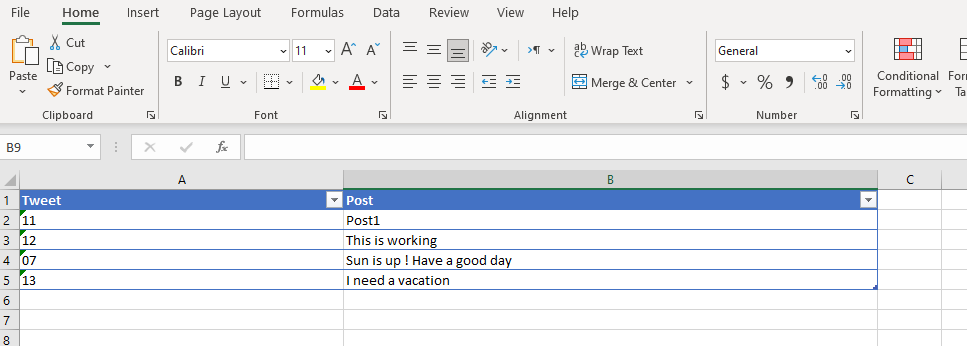
First of all we are going to create a simple excel file that contain what are we going to post (tweet is time for the post and Post is for the post it self):
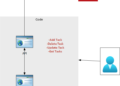
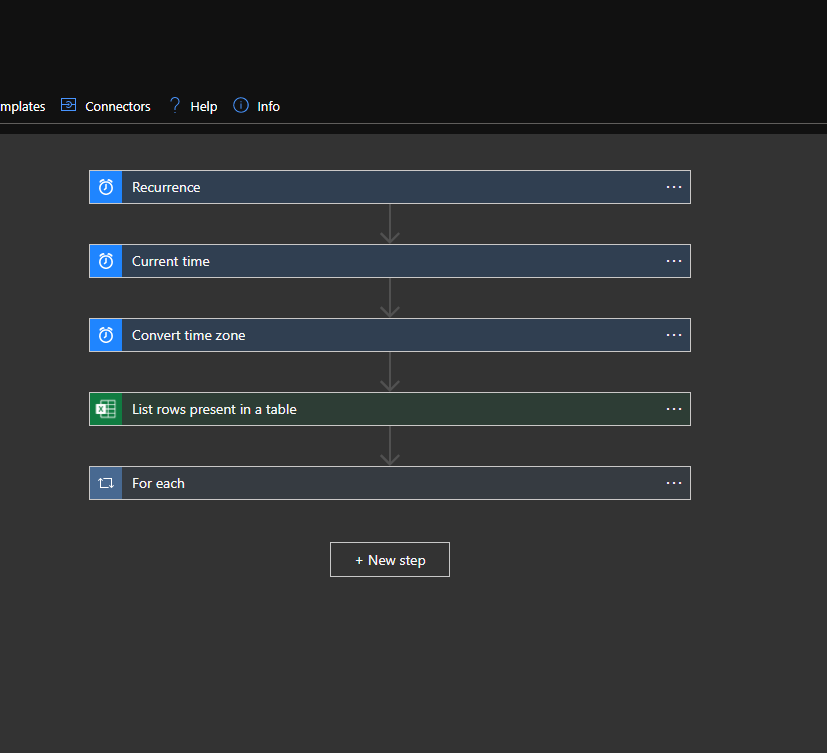
Now that was simple  ,its time to create our logic app composed of 5 steps :
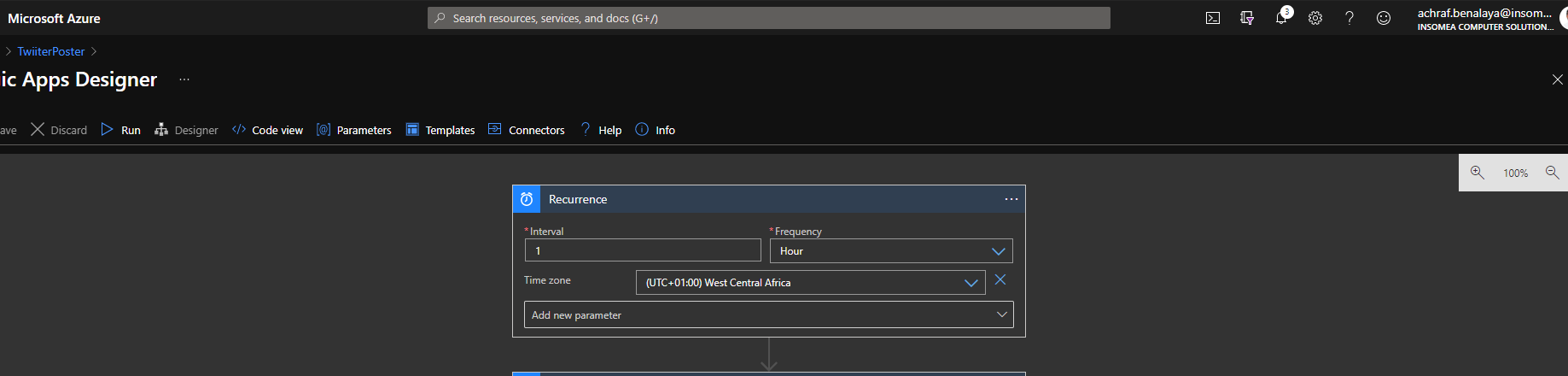
Step 1 : Set Recurrence Time 

In order to create posts we need a job that check every hour our excel file and see if the hour for post(time now) is the same as we have set in excel file .
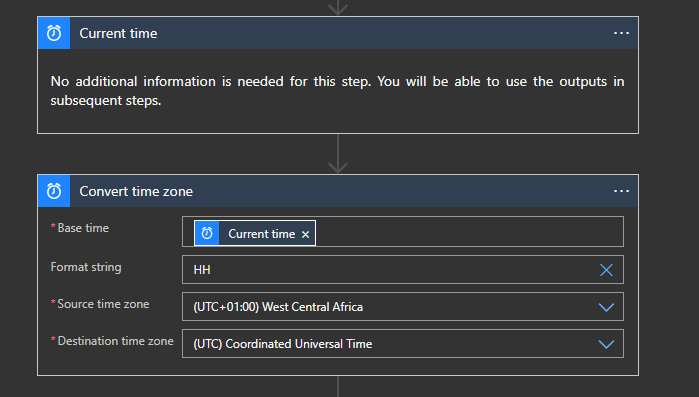
Step 2 : Get Current Time and Convert it to a specific Time Zone

Posts are related to a certain time , for that our next step is to convert the current time zone that we have to a destination time zone and we took only the hours since we only need hours to compare them to the excel file HH
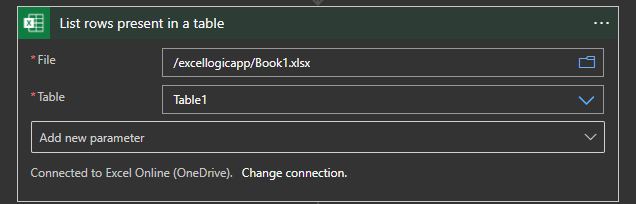
Step 3 : List rows present in a table 

In this step we are going to connect to our OneDrive and locate the file and the tab that contain our excel file and data
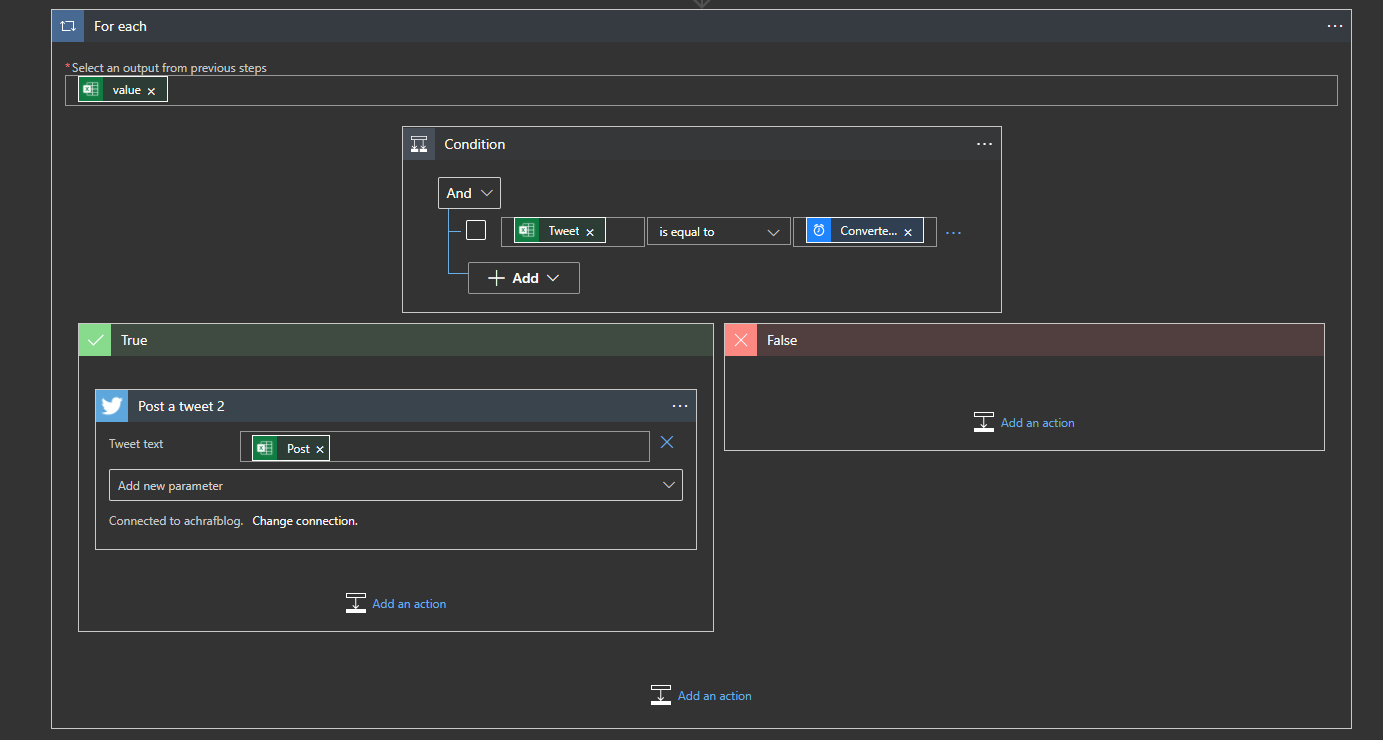
Step 4-5 : Check the Tweet times with the converted time and post a tweet 

Here we set a condition based on the values that we have , if the tweet time is equal to the converted time ,then we create a Tweeter post else we do nothing .
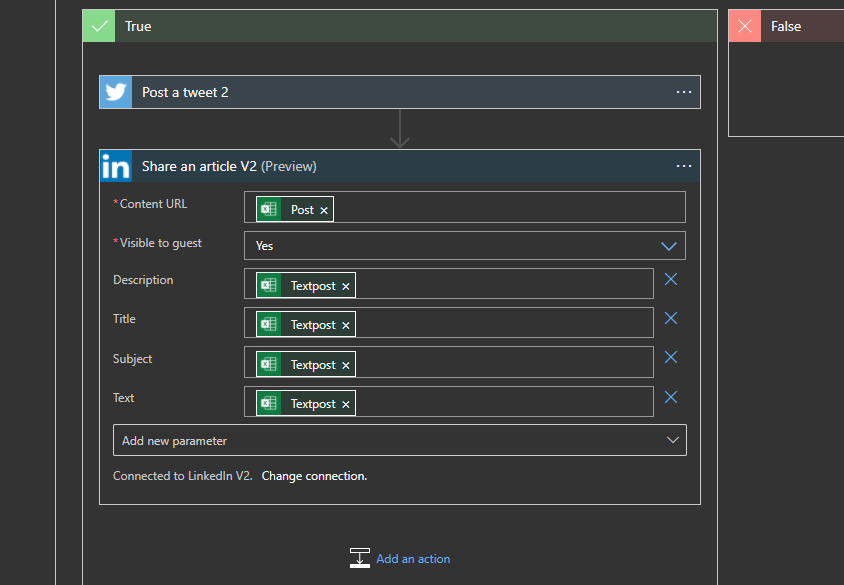
Bonus  

After I finished writing this blog I said why not I add the same post to linkedin since I’m going to post it there , so I added another step that will work only after the success of the tweet post ,we are going to add an action named ‘Share an article V2’ :
If you want to read about the pricing for the logic apps you can read full details from this link : https://bit.ly/32ejk2Y

Hope you enjoyed this blog post ^^

ShareTweet
Previous Post

Migrate and modernize your applications on Azure – Part 2.0 (Proxy Function)

Next Post

#msbuild registration is now open!

Related Posts

Azure

My Fourth Year as a Microsoft MVP: From Student Partner to AI Empowerment

July 19, 2026
66
AI

I tried GitHub Spec Kit : An Honest Field Report

June 28, 2026
555
AI

I Let Five-AI Agents Build My App. Here’s Exactly What Happened.

May 20, 2026
130
AI

GitHub Copilot Skills for Terraform: 5 On-Demand AI Assistants for Azure Container Apps

March 29, 2026
411
Azure

From Terraform to Autopilot: AI-Assisted Automation for Azure Container Apps  Part 3

March 29, 2026
1.7k
Azure

Building a Microservices Architecture on Azure Container Apps with Terraform Part 2

March 1, 2026
299
Next Post
#msbuild registration is now open!

#msbuild registration is now open!

Leave a Reply Cancel reply

Your email address will not be published. Required fields are marked *

Terraform

Certifications

Microsoft certified trainer (MCT)

Recommended

I Let Five-AI Agents Build My App. Here’s Exactly What Happened.

May 20, 2026
130
Sql tips and tricks

Sql tips

August 29, 2020
758
Block the default URL assigned to the azure web app

Block the default URL assigned to the azure web app

May 14, 2023
2.2k
DevOps : Deploy infrastructure using Terraform and Azure DevOps pipelines

DevOps : Deploy infrastructure using Terraform and Azure DevOps pipelines

June 2, 2021
4.9k
Network Security & Route Tables – Checking NSGs, route tables, and service endpoints for a targeted VNET or Subnet

Network Security & Route Tables – Checking NSGs, route tables, and service endpoints for a targeted VNET or Subnet

February 3, 2025
360
Win a free certifications at the Microsoft spring skills challenge  🎁

Win a free certifications at the Microsoft spring skills challenge 🎁

March 20, 2022
628
Facebook Twitter LinkedIn Youtube

My Fourth Year as a Microsoft MVP: From Student Partner to AI Empowerment

July 19, 2026

I tried GitHub Spec Kit : An Honest Field Report

June 28, 2026

I Let Five-AI Agents Build My App. Here’s Exactly What Happened.

May 20, 2026

Categories

  • AI (6)
  • Apps (1)
  • Azure (71)
  • blazor (2)
  • Blog (100)
  • c# (7)
  • Cloud (72)
  • copilot (4)
  • Courses (7)
  • Dapr (4)
  • docker (4)
  • Games (1)
  • General Tips & Fix (1)
  • Home (1)
  • Kubernetes Service (AKS) (1)
  • Motivation (3)
  • motivation (2)
  • News (9)
  • Resume (1)
  • sql (4)
  • Terrafrom (2)
  • Tricks, Tips and Fixes (4)
  • xamarin (5)
No Result
View All Result
  • Home
  • News
  • Blog
    • blazor
    • c#
    • Cloud
      • Azure
    • docker
    • sql
    • xamarin
    • Dapr
    • Tricks, Tips and Fixes
    • General Tips & Fix
  • AI
  • Cloud
  • Motivation
  • Courses
  • About
    • Resume
    • Privacy Policy