Achraf Ben Alaya
No Result
View All Result
  • Home
  • News
  • Blog
    • blazor
    • c#
    • Cloud
      • Azure
    • docker
    • sql
    • xamarin
    • Dapr
    • Tricks, Tips and Fixes
    • General Tips & Fix
  • AI
  • Cloud
  • Motivation
  • Courses
  • About
    • Resume
    • Privacy Policy
SUBSCRIBE
  • Home
  • News
  • Blog
    • blazor
    • c#
    • Cloud
      • Azure
    • docker
    • sql
    • xamarin
    • Dapr
    • Tricks, Tips and Fixes
    • General Tips & Fix
  • AI
  • Cloud
  • Motivation
  • Courses
  • About
    • Resume
    • Privacy Policy
No Result
View All Result
Achraf Ben Alaya
No Result
View All Result
ADVERTISEMENT
Home Blog Cloud Azure

How To host a Next.js app on Azure

Deploy Next.js application with Azure Static Web App Service and GitHub Actions

achraf by achraf
October 5, 2020
in Azure, Blog, Cloud
3 min read
0
0
SHARES
1.6k
VIEWS
Share on FacebookShare on Twitter

In this new blog post we are going to build a simple basic Next.js application , so you don’t have to know a lot about Next.js , all we are going to build or use is a demo project .

If you want to read more about the Azure Static Web App Service follow this link .

Creating the Next.js application

To build a next.js application we are going to use a couple of commands :

“Make sure you have a recent version of Node.js installed”

Setup :

npx create-next-app
 # or 
yarn create next-app
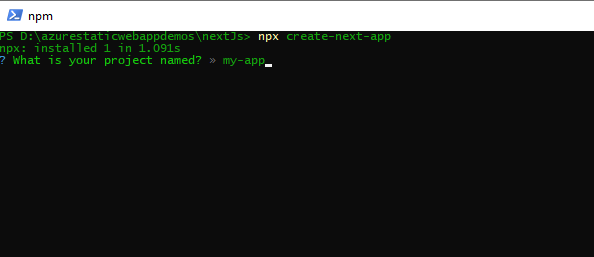
nextjs

The project will be generated automatically. Let’s go to our project using !

cd .\my-app\

You can use npm install to install missing dependencies .


To run Next.js app in development: :


npm run dev
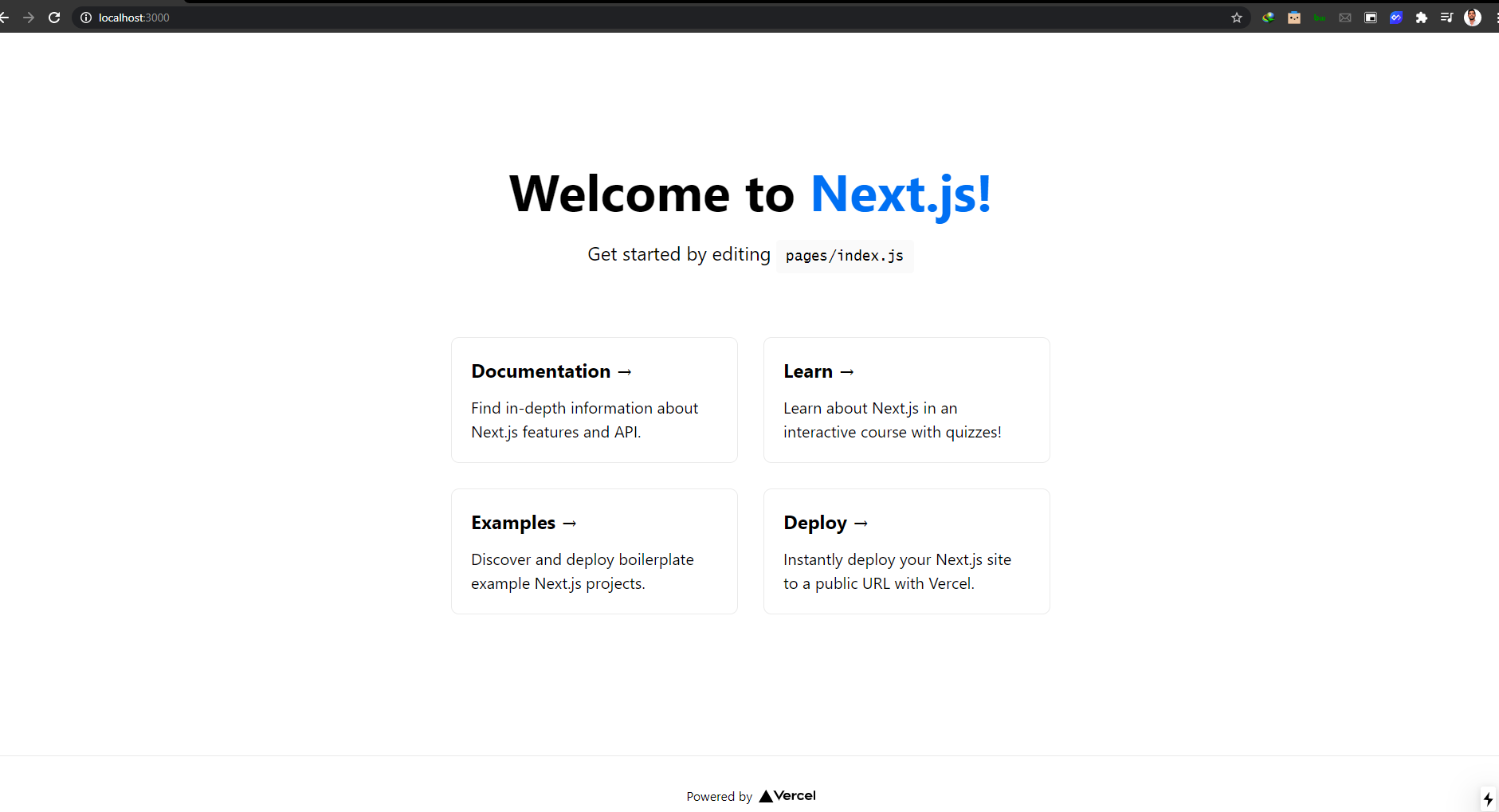
Generate a static website from Next.js build

When you build a Next.js site using npm run build, the app is built as a traditional web app, not a static site. To generate a static site, use the following application configuration.

  1. To configure static routes, create file named next.config.js at the root of your project and add the following code
module.exports = {
  exportTrailingSlash: true,
  exportPathMap: function() {
    return {
      '/': { page: '/' }
    };
  }
};

This configuration maps / to the Next.js page that is served for the / route, and that is the pages/index.js page file.

Update the package.json‘s build script to also generate a static site after building, using the next export command. The export command generates a static site.

"scripts": {
  "dev": "next dev",
  "build": "next build && next export",
},

Now with this command in place, Static Web Apps will run the build script every time you push a commit.


npm run build

Pushing code to GitHub

Now after building our project on our local computer ,we are now going to push it to GitHub .

For that we need to create a new repository :
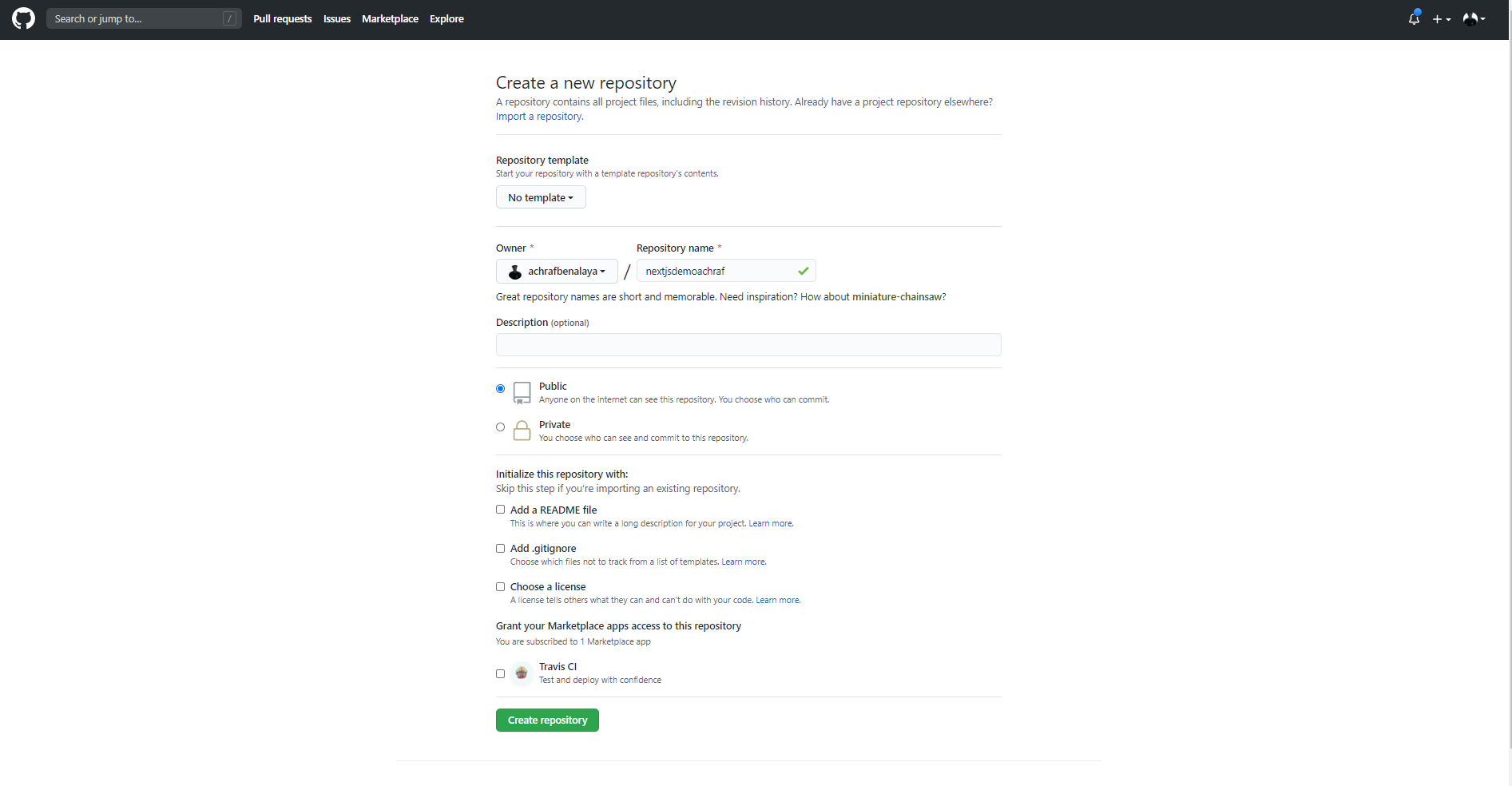
nextjs

Now to push our solution to GitHub we are going to use a couple of commands :


git add -A
 git commit -m "first commit" 
git branch -M master git remote add origin https://github.com/achrafbenalaya/nextjsdemoachraf.git
 git push -u origin master

Create Static Web App
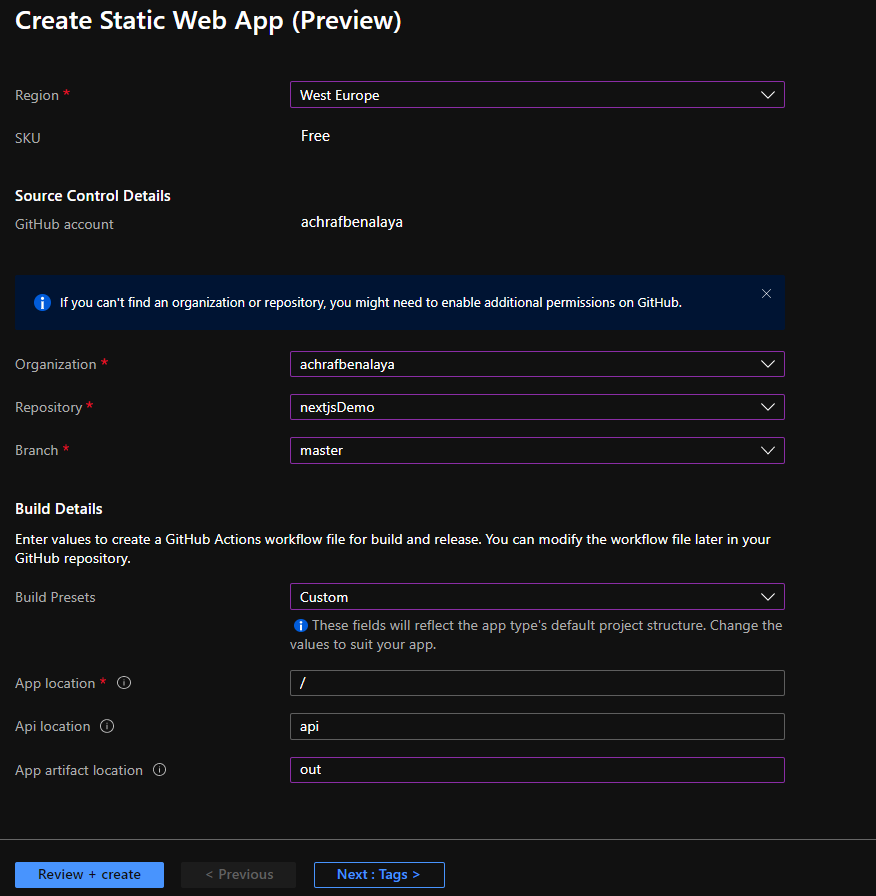
make sure to choose Custom for the build and for the App artifact write : out

After you create the app , the GitHub action will start and create a new fresh build
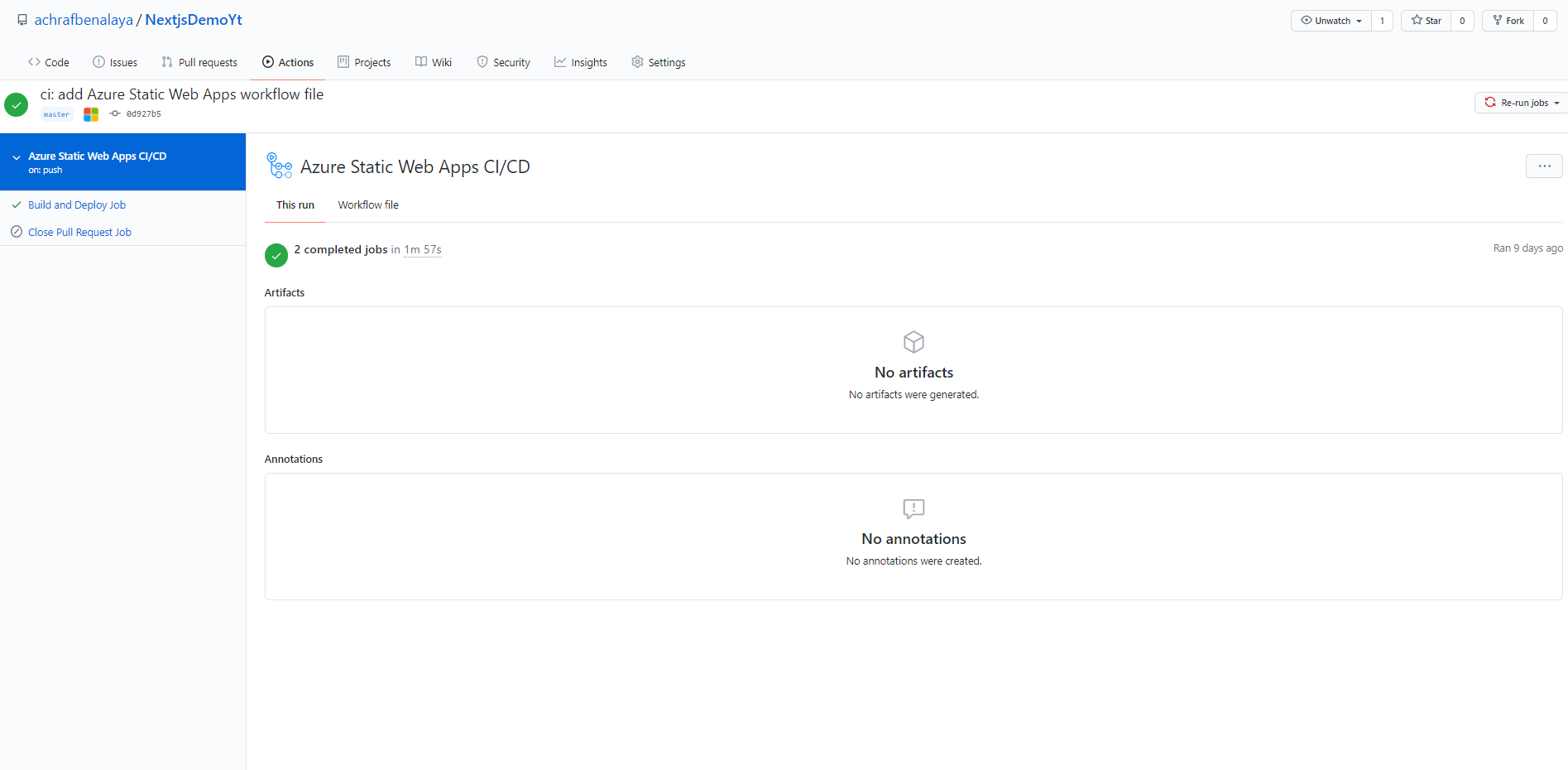
now all you have to do , pull your project since there is a new yml file that contain the build config , do not touch that file in local, choose do your modifications on your website and push again and everything will go smoothly .

Full demo in the video Below :

 

ShareTweet
Previous Post

How To host an Angular app on Azure

Next Post

coding news

Related Posts

AI

I tried GitHub Spec Kit : An Honest Field Report

June 28, 2026
411
AI

I Let Five-AI Agents Build My App. Here’s Exactly What Happened.

May 20, 2026
65
AI

GitHub Copilot Skills for Terraform: 5 On-Demand AI Assistants for Azure Container Apps

March 29, 2026
255
Azure

From Terraform to Autopilot: AI-Assisted Automation for Azure Container Apps  Part 3

March 29, 2026
1.6k
Azure

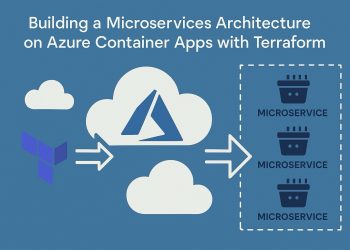
Building a Microservices Architecture on Azure Container Apps with Terraform Part 2

March 1, 2026
222
Blog

 2025 – Certifications, Community, and 50K Views

December 28, 2025
144
Next Post
How to Claim My Free Microsoft Certification Voucher

How to Claim My Free Microsoft Certification Voucher

Leave a Reply Cancel reply

Your email address will not be published. Required fields are marked *

Terraform

Certifications

Microsoft certified trainer (MCT)

Recommended

Build and Host an Expense Tracking MCP Server with Azure Functions

November 2, 2025
888
Kubernetes is deprecating Docker runtime support !

Kubernetes is deprecating Docker runtime support !

December 3, 2020
835
How to setup nginx reverse proxy && load balancer for aspnet core apps with Docker and azure kubernetes service (AKS)

How to configure an ingress controller using TLS/SSL for the Azure Kubernetes Service (AKS)

November 25, 2022
2.5k
Create a Linux VM with infrastructure in Azure using Terraform

Create a Linux VM with infrastructure in Azure using Terraform

August 30, 2020
2.5k
Part 5-A : Using Azure DevOps, Automate Your CI/CD Pipeline and Your Deployments

Part 5-B : Using Azure DevOps, Automate Your CI/CD Pipeline and Your Deployments

April 20, 2023
719

Step-by-Step Guide: Azure Front Door + Storage Account Static Website + Custom Domain with Terraform

March 11, 2025
1.6k
Facebook Twitter LinkedIn Youtube

I tried GitHub Spec Kit : An Honest Field Report

June 28, 2026

I Let Five-AI Agents Build My App. Here’s Exactly What Happened.

May 20, 2026

GitHub Copilot Skills for Terraform: 5 On-Demand AI Assistants for Azure Container Apps

March 29, 2026

Categories

  • AI (6)
  • Apps (1)
  • Azure (70)
  • blazor (2)
  • Blog (99)
  • c# (7)
  • Cloud (72)
  • copilot (4)
  • Courses (4)
  • Dapr (4)
  • docker (4)
  • Games (1)
  • General Tips & Fix (1)
  • Home (1)
  • Kubernetes Service (AKS) (1)
  • Motivation (3)
  • motivation (2)
  • News (9)
  • Resume (1)
  • sql (4)
  • Terrafrom (2)
  • Tricks, Tips and Fixes (4)
  • xamarin (5)
No Result
View All Result
  • Home
  • News
  • Blog
    • blazor
    • c#
    • Cloud
      • Azure
    • docker
    • sql
    • xamarin
    • Dapr
    • Tricks, Tips and Fixes
    • General Tips & Fix
  • AI
  • Cloud
  • Motivation
  • Courses
  • About
    • Resume
    • Privacy Policy