Achraf Ben Alaya
No Result
View All Result
  • Home
  • News
  • Blog
    • blazor
    • c#
    • Cloud
      • Azure
    • docker
    • sql
    • xamarin
    • Dapr
    • Tricks, Tips and Fixes
    • General Tips & Fix
  • AI
  • Cloud
  • Motivation
  • Courses
  • About
    • Resume
    • Privacy Policy
SUBSCRIBE
  • Home
  • News
  • Blog
    • blazor
    • c#
    • Cloud
      • Azure
    • docker
    • sql
    • xamarin
    • Dapr
    • Tricks, Tips and Fixes
    • General Tips & Fix
  • AI
  • Cloud
  • Motivation
  • Courses
  • About
    • Resume
    • Privacy Policy
No Result
View All Result
Achraf Ben Alaya
No Result
View All Result
ADVERTISEMENT
Home Blog Cloud Azure

How To host a Next.js app on Azure

Deploy Next.js application with Azure Static Web App Service and GitHub Actions

achraf by achraf
October 5, 2020
in Azure, Blog, Cloud
3 min read
0
0
SHARES
1.6k
VIEWS
Share on FacebookShare on Twitter

In this new blog post we are going to build a simple basic Next.js application , so you don’t have to know a lot about Next.js , all we are going to build or use is a demo project .

If you want to read more about the Azure Static Web App Service follow this link .

Creating the Next.js application

To build a next.js application we are going to use a couple of commands :

“Make sure you have a recent version of Node.js installed”

Setup :

npx create-next-app
 # or 
yarn create next-app
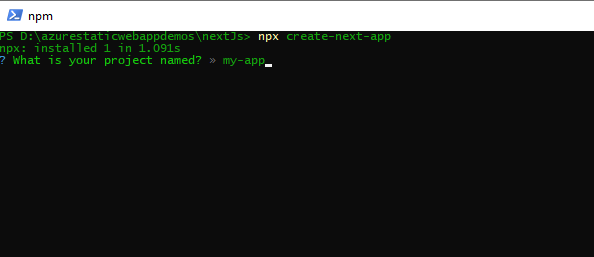
nextjs

The project will be generated automatically. Let’s go to our project using !

cd .\my-app\

You can use npm install to install missing dependencies .


To run Next.js app in development: :


npm run dev
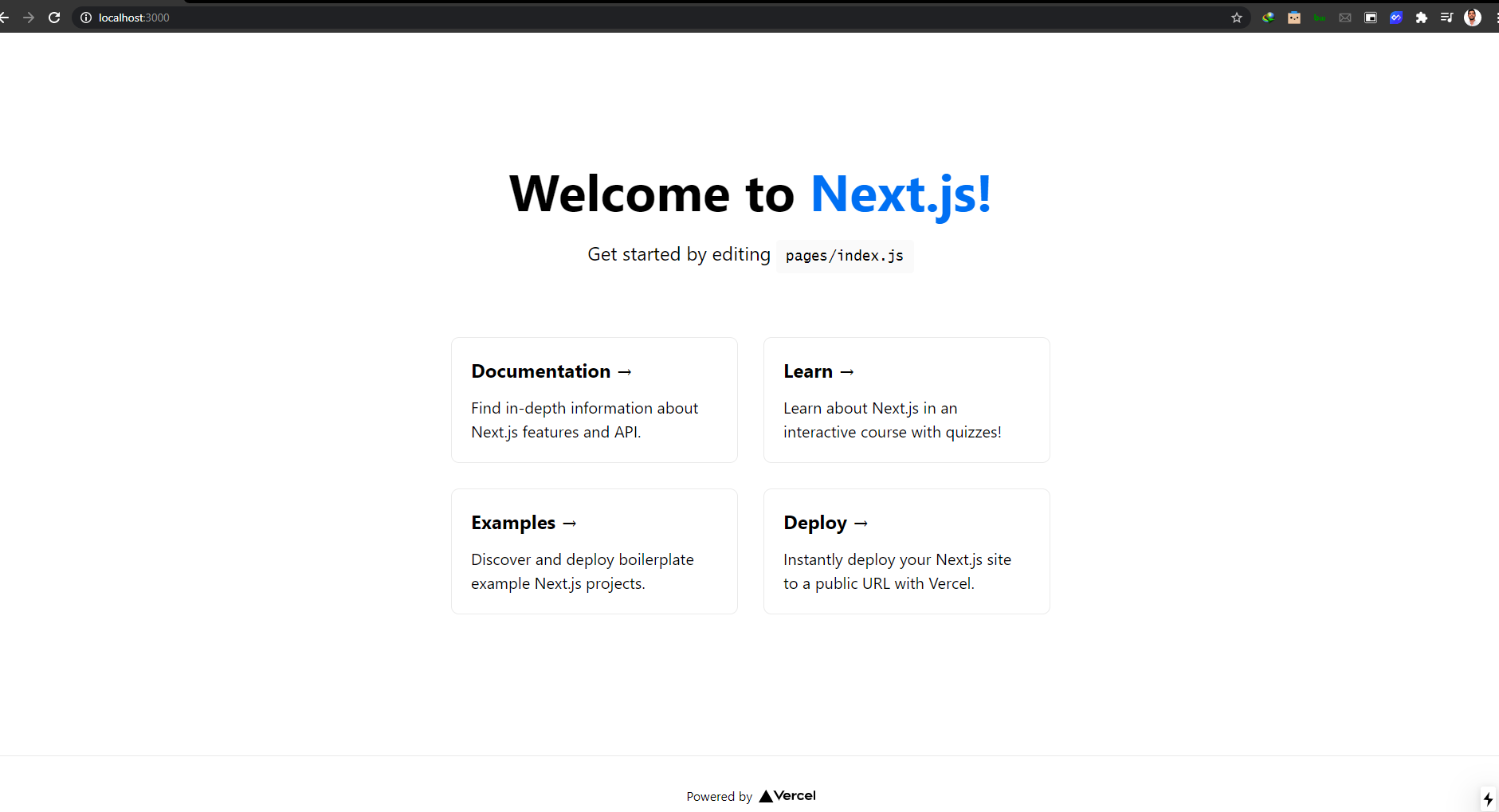
Generate a static website from Next.js build

When you build a Next.js site using npm run build, the app is built as a traditional web app, not a static site. To generate a static site, use the following application configuration.

  1. To configure static routes, create file named next.config.js at the root of your project and add the following code
module.exports = {
  exportTrailingSlash: true,
  exportPathMap: function() {
    return {
      '/': { page: '/' }
    };
  }
};

This configuration maps / to the Next.js page that is served for the / route, and that is the pages/index.js page file.

Update the package.json‘s build script to also generate a static site after building, using the next export command. The export command generates a static site.

"scripts": {
  "dev": "next dev",
  "build": "next build && next export",
},

Now with this command in place, Static Web Apps will run the build script every time you push a commit.


npm run build

Pushing code to GitHub

Now after building our project on our local computer ,we are now going to push it to GitHub .

For that we need to create a new repository :
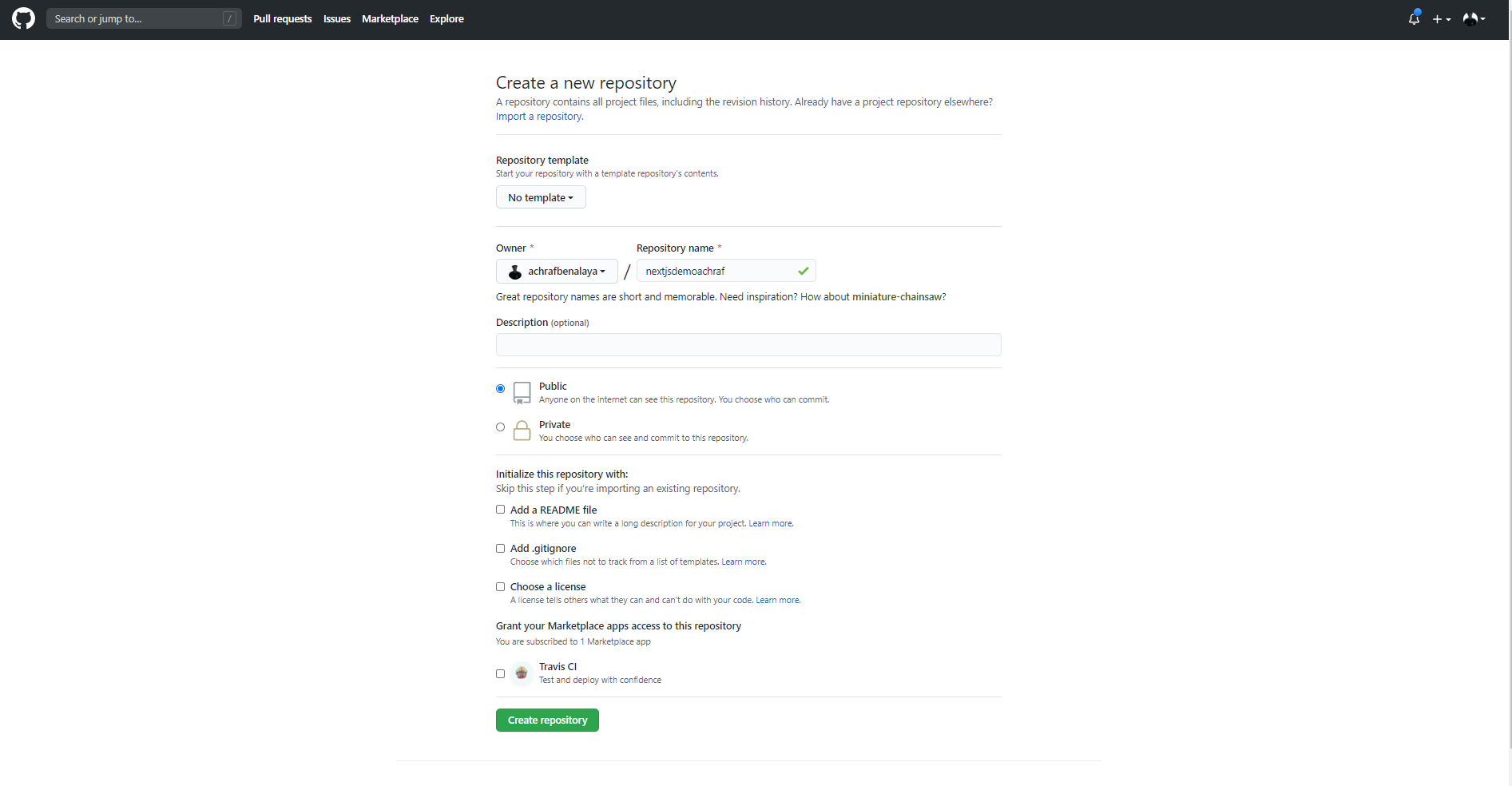
nextjs

Now to push our solution to GitHub we are going to use a couple of commands :


git add -A
 git commit -m "first commit" 
git branch -M master git remote add origin https://github.com/achrafbenalaya/nextjsdemoachraf.git
 git push -u origin master

Create Static Web App
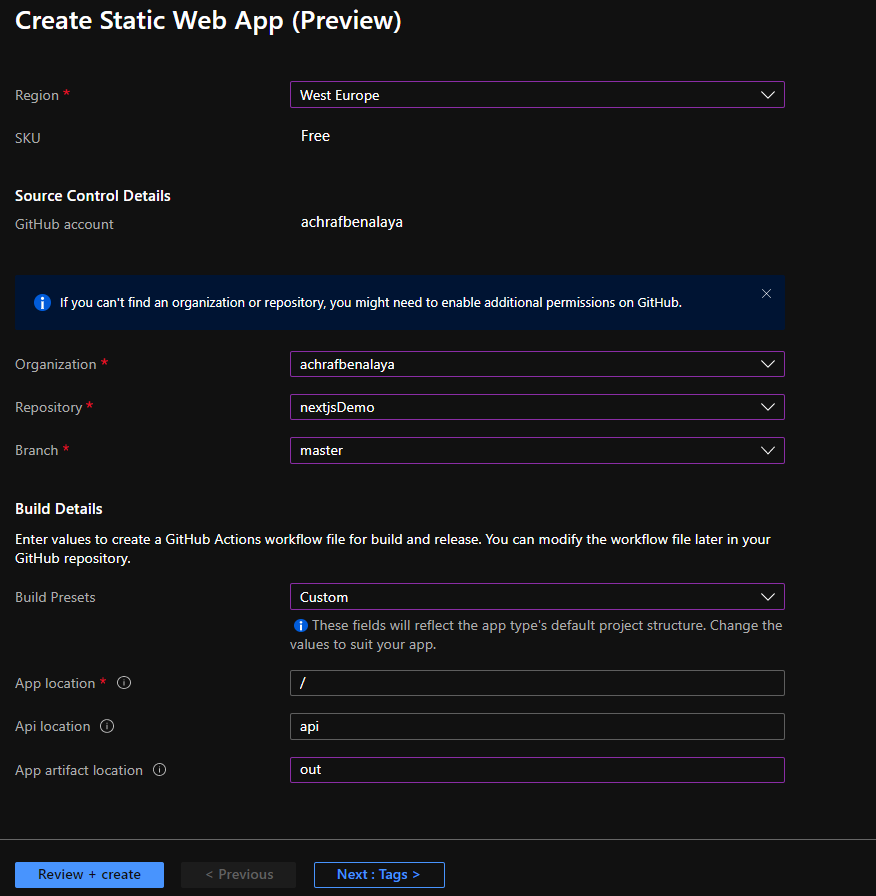
make sure to choose Custom for the build and for the App artifact write : out

After you create the app , the GitHub action will start and create a new fresh build
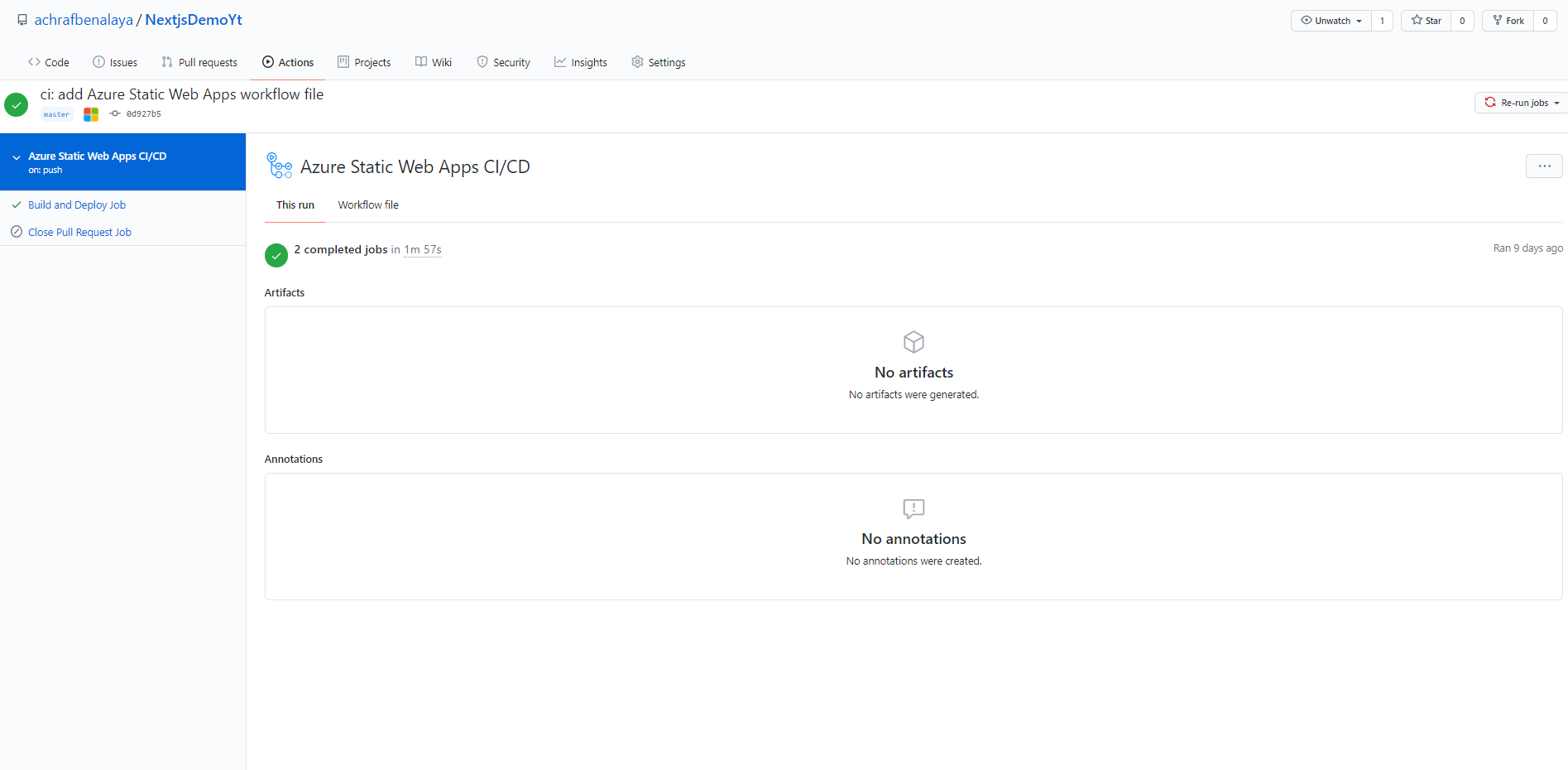
now all you have to do , pull your project since there is a new yml file that contain the build config , do not touch that file in local, choose do your modifications on your website and push again and everything will go smoothly .

Full demo in the video Below :
 

ShareTweet
Previous Post

How To host an Angular app on Azure

Next Post

coding news

Related Posts

AI

GitHub Copilot Skills for Terraform: 5 On-Demand AI Assistants for Azure Container Apps

March 29, 2026
17
Azure

From Terraform to Autopilot: AI-Assisted Automation for Azure Container Apps  Part 3

March 29, 2026
1.4k
Azure

Building a Microservices Architecture on Azure Container Apps with Terraform Part 2

March 1, 2026
98
Blog

 2025 – Certifications, Community, and 50K Views

December 28, 2025
107
Azure

From Manual Terraform to AI-Assisted DevOps: Building an Azure Container Platform (Part 1)

December 23, 2025
228
AI

Build and Host an Expense Tracking MCP Server with Azure Functions

November 2, 2025
805
Next Post
How to Claim My Free Microsoft Certification Voucher

How to Claim My Free Microsoft Certification Voucher

Leave a Reply Cancel reply

Your email address will not be published. Required fields are marked *

Terraform

Certifications

Microsoft certified trainer (MCT)

Recommended

Empowering Companies with Azure API Center

Empowering Companies with Azure API Center

January 30, 2024
242

Build and Host an Expense Tracking MCP Server with Azure Functions

November 2, 2025
805
Welcome to Azure Resource Mover service

Welcome to Azure Resource Mover service

February 2, 2021
256
Azure Elastic Job Tutorial: Automate Your SQL Jobs Efficiently

Azure Elastic Job Tutorial: Automate Your SQL Jobs Efficiently

June 23, 2024
255
The Differences Between Blazor Server And Blazor  WebAssembly

The Differences Between Blazor Server And Blazor WebAssembly

January 10, 2021
875
Part 5-A : Using Azure DevOps, Automate Your CI/CD Pipeline and Your Deployments

Part 5-B : Using Azure DevOps, Automate Your CI/CD Pipeline and Your Deployments

April 20, 2023
667
Facebook Twitter LinkedIn Youtube

GitHub Copilot Skills for Terraform: 5 On-Demand AI Assistants for Azure Container Apps

March 29, 2026

From Terraform to Autopilot: AI-Assisted Automation for Azure Container Apps  Part 3

March 29, 2026

Building a Microservices Architecture on Azure Container Apps with Terraform Part 2

March 1, 2026

Categories

  • AI (4)
  • Apps (1)
  • Azure (70)
  • blazor (2)
  • Blog (97)
  • c# (7)
  • Cloud (72)
  • copilot (2)
  • Courses (4)
  • Dapr (4)
  • docker (4)
  • Games (1)
  • General Tips & Fix (1)
  • Home (1)
  • Kubernetes Service (AKS) (1)
  • Motivation (3)
  • motivation (2)
  • News (9)
  • Resume (1)
  • sql (4)
  • Terrafrom (2)
  • Tricks, Tips and Fixes (4)
  • xamarin (5)
No Result
View All Result
  • Home
  • News
  • Blog
    • blazor
    • c#
    • Cloud
      • Azure
    • docker
    • sql
    • xamarin
    • Dapr
    • Tricks, Tips and Fixes
    • General Tips & Fix
  • AI
  • Cloud
  • Motivation
  • Courses
  • About
    • Resume
    • Privacy Policy