Introduction
When you create a new .Netcore web API project ,you need to present and define in a very easy way to read .
In this case , Swagger is the solution .
Swagger is an Interface Description Language for describing RESTful APIs expressed using JSON. Swagger is used together with a set of open-source software tools to design, build, document, and use RESTful web services. Swagger includes automated documentation, code generation, and test-case generation.
Adding Swagger to a Web Api Core 3.1 project
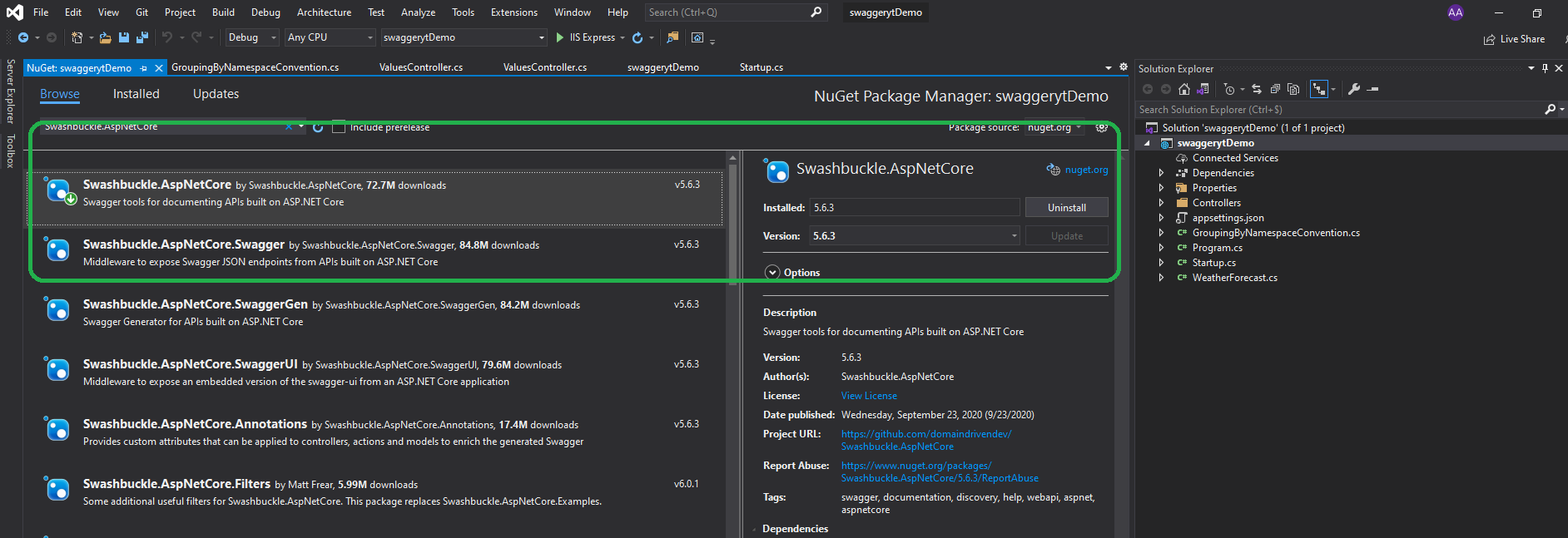
You can add swagger to the project by installing the following NuGet package :
Swashbuckle.AspNetCore
Swagger Configuration
Sometimes configuring a nuget package can be hard and time wasting , but this not the case with swagger .
First we are going to open Startup.cs and add Swagger service inside ConfigureServices
services.AddSwaggerGen(c =>
          {
              c.SwaggerDoc("v1", new OpenApiInfo { Title = "My API", Version = "v1" });
          });
After that we are going to enable Swagger in Configure() method :
app.UseSwagger();
         app.UseSwaggerUI(c => {

             c.SwaggerEndpoint("/swagger/v1/swagger.json", "My API V1");

         });
Now as I mentioned in the demo , we need to configure the launch browser in Debug from the properties of the solution :
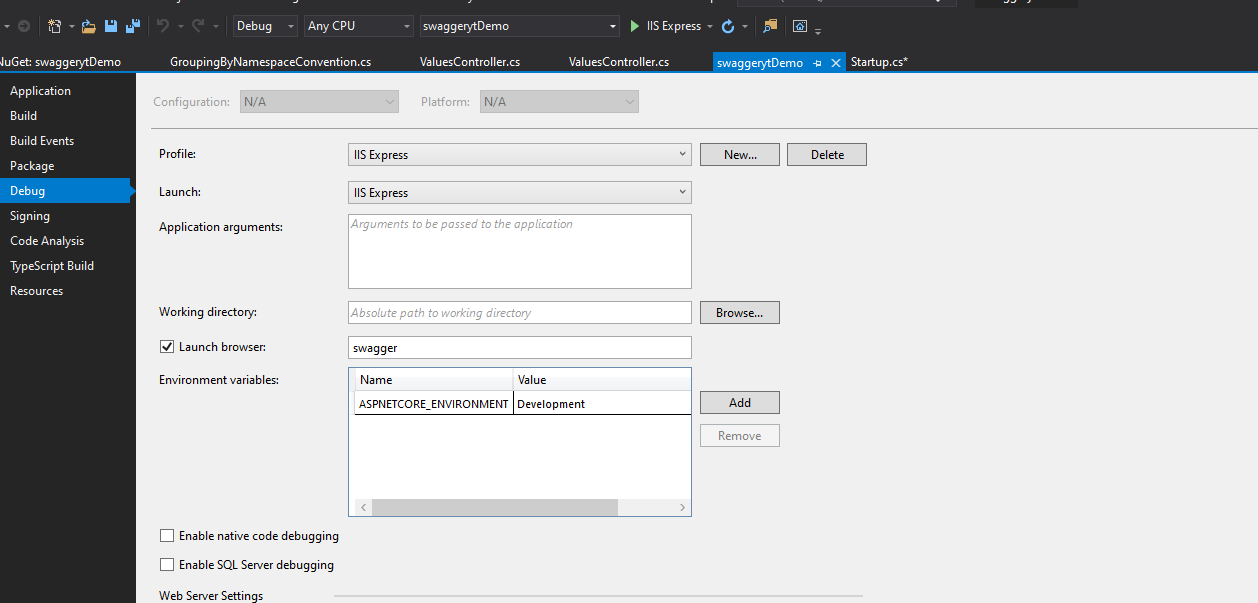
Now, when we are going to start a new debugging session, we will be redirected to :
http://localhost:[yourportnumber]/swagger
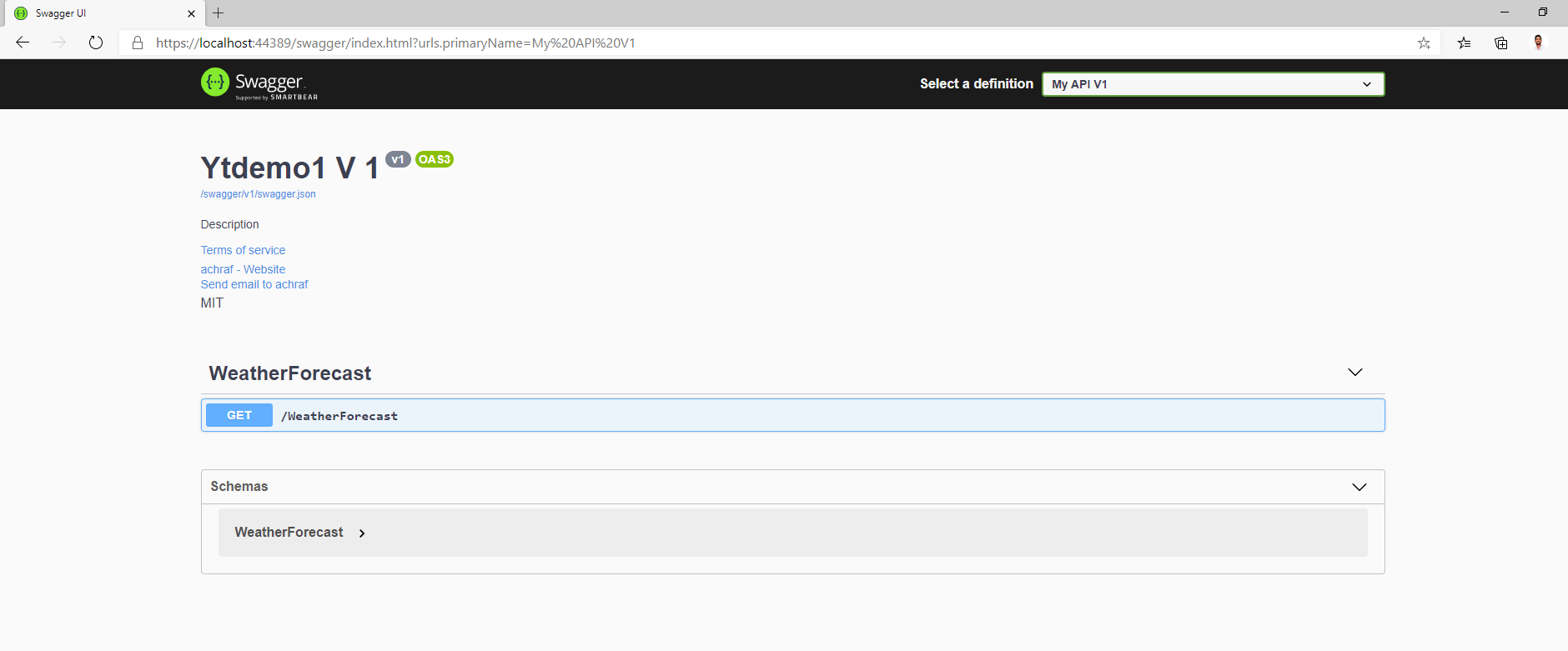
Now , everything done if you are going to have one version of the API ,next we are going to see how to create different versions.
Versioning
When we update the API major version whenever we introduce breaking changes. Internally, we update minor and patch versions whenever we add functionality and backward-compatible updates. When we release a new major version of the an API clients can choose to either continue using an existing major version or migrate to the new one , so different versions must be present .
Changes that we need to do in Startup.cs :
using Microsoft.AspNetCore.Builder;
using Microsoft.AspNetCore.Hosting;
using Microsoft.AspNetCore.HttpsPolicy;
using Microsoft.AspNetCore.Mvc;
using Microsoft.Extensions.Configuration;
using Microsoft.Extensions.DependencyInjection;
using Microsoft.Extensions.Hosting;
using Microsoft.Extensions.Logging;
using Microsoft.OpenApi.Models;
using System;
using System.Collections.Generic;
using System.Linq;
using System.Threading.Tasks;

namespace swaggerytDemo
{
    public class Startup
    {
        public Startup(IConfiguration configuration)
        {
            Configuration = configuration;
        }

        public IConfiguration Configuration { get; }

        // This method gets called by the runtime. Use this method to add services to the container.
        public void ConfigureServices(IServiceCollection services)
        {
            services.AddControllers();

            //Register the Swagger generator, defining 1 or more Swagger documents
            //services.AddSwaggerGen(c =>
            //{
            //    c.SwaggerDoc("v1", new OpenApiInfo { Title = "My API", Version = "v1" });
            //});

            services.AddControllers(options =>
            {
                options.Conventions.Add(new GroupingByNamespaceConvention());
            });

            services.AddSwaggerGen(config =>
            {
                var titlebase = "Ytdemo1";
                var desc = "Description";
                var termsofservice = new Uri("https://achrafbenalaya-ekgvbjdjgta4b4hz.francecentral-01.azurewebsites.net/");
                var license = new OpenApiLicense()
                {
                    Name = "MIT"
                };

                var contact = new OpenApiContact()
                {
                    Name = "achraf",
                    Email = "achrafbenalaya@gmail.com",
                    Url = new Uri("https://achrafbenalaya-ekgvbjdjgta4b4hz.francecentral-01.azurewebsites.net/")

                };


                config.SwaggerDoc("v1", new OpenApiInfo
                {
                    Version = "v1",
                    Title = titlebase + " V 1",
                    Description = desc,
                    Contact = contact,
                    License = license,
                    TermsOfService = termsofservice


                });

                config.SwaggerDoc("v2", new OpenApiInfo
                {
                    Version = "v2",
                    Title = titlebase + " V2",
                    Description = desc,
                    Contact = contact,
                    License = license,
                    TermsOfService = termsofservice


                });

            }

      );


        }

        // This method gets called by the runtime. Use this method to configure the HTTP request pipeline.
        public void Configure(IApplicationBuilder app, IWebHostEnvironment env)
        {
            if (env.IsDevelopment())
            {
                app.UseDeveloperExceptionPage();
            }


            app.UseSwagger();
            app.UseSwaggerUI(c => {

                c.SwaggerEndpoint("/swagger/v1/swagger.json", "My API V1");
                c.SwaggerEndpoint("/swagger/v2/swagger.json", "My API V2");

            });


            app.UseHttpsRedirection();

            app.UseRouting();

            app.UseAuthorization();

            app.UseEndpoints(endpoints =>
            {
                endpoints.MapControllers();
            });
        }
    }
}
Now we need to add a convention to let swagger understand the different API version’s :
public class GroupingByNamespaceConvention : IControllerModelConvention
 {
     public void Apply(ControllerModel controller)
     {
         var controllerNamespace = controller.ControllerType.Namespace;
         var apiVersion = controllerNamespace.Split(".").Last().ToLower();
         if (!apiVersion.StartsWith("v")) { apiVersion = "v1"; }
         controller.ApiExplorer.GroupName = apiVersion;
     }
 }
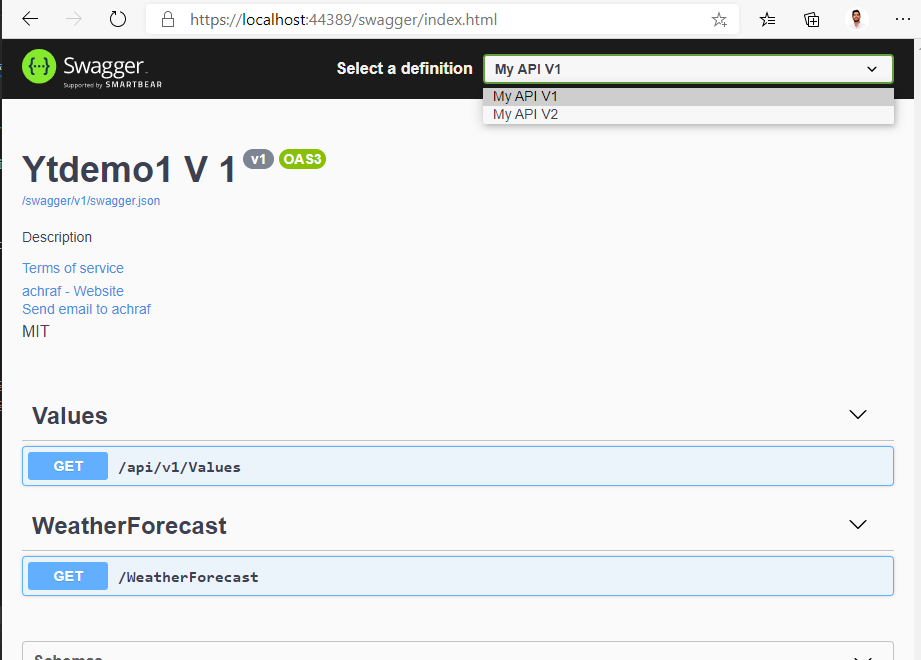
Now we must apply the convention. For that we need to go to Startup.cs ,look for ConfigureServices() and add the convention:
services.AddControllers(options =>
{
options.Conventions.Add(new GroupingByNamespaceConvention());
});
Project Link
Full Demos: