Intro
Most infrastructure tutorials end where Part 2 left off you have working Terraform, a microservices architecture, and a mental model of how the pieces fit together. Then reality hits. Someone on the team pushes a Terraform change without running `terraform validate`. A new engineer copies an old module and hardcodes a subnet CIDR. The backend Container App gets deployed with `external_enabled = true` because someone missed it in review.
Part 3 is about preventing those mistakes before they happen, and automating everything else so you don’t have to think about it.
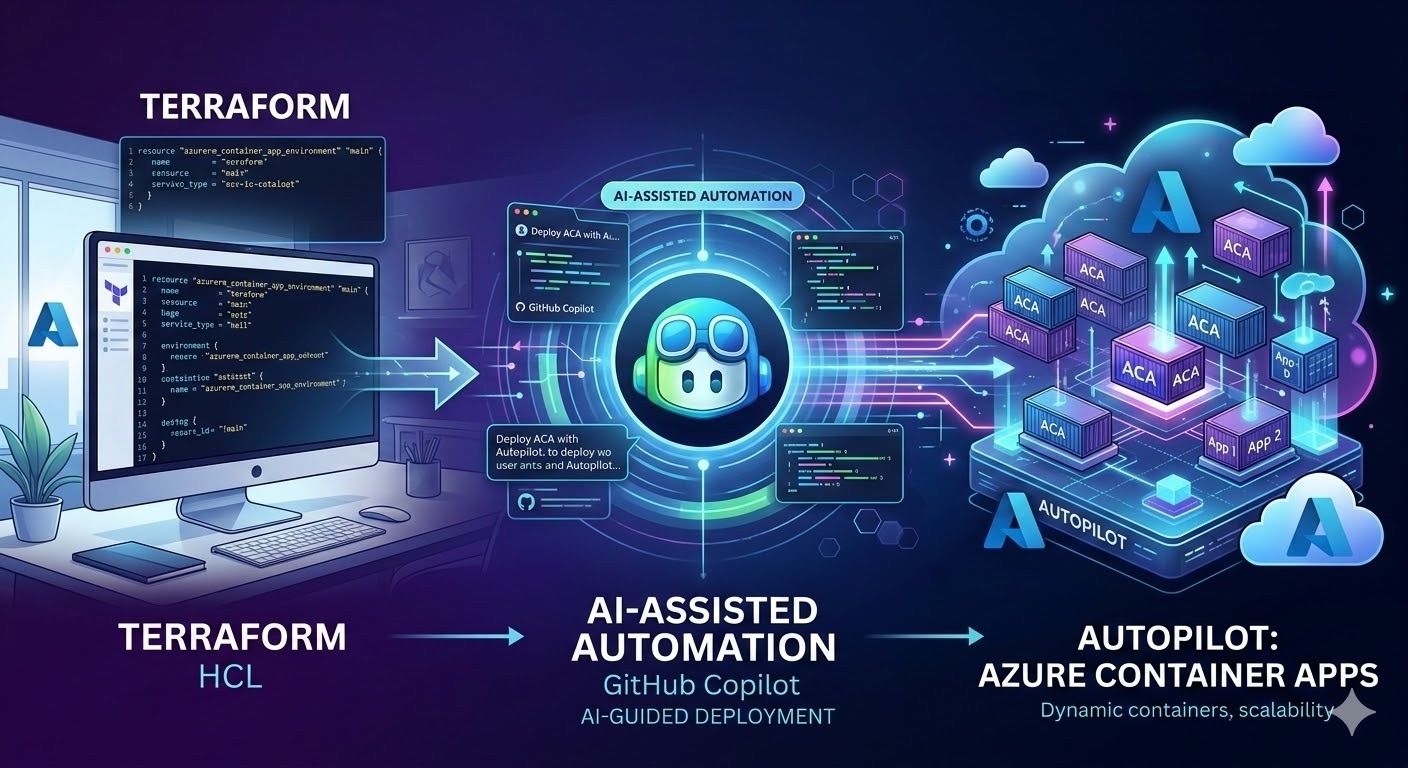
We’re going to wire up three things that don’t usually appear in the same blog post: GitHub Copilot custom instructions (so AI understands your infrastructure conventions), GitHub Actions pipelines (so deployments are repeatable), and Managed Identities (so there are zero credentials in your codebase). By the end, your repo will be a self-documenting, self-deploying, self-securing system.
Where we left off
Quick recap. In Part 1, we built the networking foundation: a VNet, NSGs, an Application Gateway, and a single frontend Container App behind an internal load balancer. In Part 2, we expanded to microservices: an Azure Container Registry with admin access disabled, an internal-only backend Container App (`external_enabled = false`), and frontend-to-backend wiring through an environment variable.
The architecture works. But it has three gaps that would make any senior engineer uncomfortable in production.
First, the Container Apps are still pulling from Microsoft’s public registry (`mcr.microsoft.com`). Our ACR exists but nothing pushes to it and nothing pulls from it. Second, there are no credentials connecting ACR to the Container Apps because we disabled admin access (correctly), but haven’t set up the alternative yet. Third, deployments are manual. Every change requires someone to run `terraform plan` and `terraform apply` from their laptop.
Part 3 closes all three gaps.
Teaching your AI pair-programmer to think in Terraform
Before writing a single line of automation code, we’re going to do something that pays compounding dividends: teach GitHub Copilot how your project works.
If you’ve used Copilot in a Terraform project, you’ve probably noticed it generates syntactically correct HCL that’s architecturally wrong. It’ll suggest `admin_enabled = true` on a container registry because that’s what most tutorials do. It’ll hardcode resource group names instead of using references. It’ll create subnets without delegations because it doesn’t know you’re deploying Container Apps.
Custom instructions fix this by giving Copilot persistent context about your project’s rules and conventions.
The main instructions file
Create `.github/copilot-instructions.md` in your repo root. This file is automatically loaded by Copilot Chat in VS Code, Visual Studio, and JetBrains every time, for every conversation. No slash commands, no manual attachment.
Here’s what ours looks like for this project:
“`markdown
Project Context
This is a 3-part Azure Container Apps infrastructure project using Terraform.
The architecture follows Zero Trust principles with internal-only networking.
Architecture Rules (ALWAYS follow these)
– Container App Environment uses internal load balancer (`internal_load_balancer_enabled = true`)
– Backend Container Apps MUST use `external_enabled = false` in their ingress block
– Only the frontend Container App may use `external_enabled = true`
– All traffic from the internet enters through the Application Gateway never directly to a Container App
– Azure Container Registry MUST have `admin_enabled = false` use Managed Identity with AcrPull role instead
– Container images are referenced via `azurerm_container_registry.acr.login_server` never hardcode registry URLs
Terraform Code Style
– Provider: `azurerm ~> 4.33.0` (do NOT suggest older versions)
– Use resource references (e.g., `azurerm_resource_group.rg.name`) never hardcode names
– Use `random_string.suffix.result` for globally unique resource names
– Every resource must include `resource_group_name` and `location` from `azurerm_resource_group.rg`
– Avoid deprecated arguments check the latest azurerm provider docs
– Use `depends_on` only when Terraform cannot infer the dependency graph automatically
Naming Conventions
– Resource groups: `rg-<purpose>`
– VNets: `vnet-<purpose>`
– Subnets: `snet-<purpose>`
– NSGs: `nsg-<purpose>`
– Container Apps: `ca-<service-name>`
– Container App Environment: `cae-<purpose>`
Security Requirements
– No static credentials anywhere in the codebase
– ACR access via Managed Identity only (AcrPull role)
– Secrets go in Azure Key Vault never in Terraform variables or environment variables
– NSG rules follow least-privilege: allow only the specific ports and CIDRs needed
“`
This file is roughly 40 lines of Markdown. It takes five minutes to write. But now, every time someone on your team asks Copilot to “add a new Container App for the payment service,” the generated code will use internal ingress, reference the existing Container App Environment, follow your naming conventions, and avoid admin credentials.
The key insight here is that custom instructions aren’t about making Copilot smarter they’re about making it *contextual*. Copilot already knows Terraform syntax. It doesn’t know your project’s rules.
Path-specific instructions for different concerns
The main instructions file covers project-wide rules. But Terraform projects have different zones of concern networking files need different guidance than application files.
Create `.github/instructions/` and add focused instruction files:
`.github/instructions/networking.instructions.md`:
“`markdown
—
applyTo: “**/vnet.tf,**/nsg.tf,**/dns.tf”
—
When working on networking files:
– Subnets for Container Apps MUST include a delegation block for `Microsoft.App/environments`
– The ACA subnet requires a minimum /23 CIDR range
– NSG rules: always include GatewayManager and AzureLoadBalancer inbound rules on the AppGW subnet
– Private DNS zones must be linked to the VNet with `registration_enabled = false`
“`
`.github/instructions/containers.instructions.md`:
“`markdown
—
applyTo: “**/aca.tf,**/acr.tf”
—
When working on container resources:
– Container Apps use `workload_profile_name = “Consumption”` unless dedicated compute is needed
– Backend services: `external_enabled = false`, `target_port = 80`, `transport = “auto”`
– Frontend services: inject backend URLs via `env` blocks, using the pattern `http://<backend>.ingress[0].fqdn`
– ACR: Standard SKU minimum. Never enable admin access. Future: connect via `registry` block with `identity = “System”`
– Use `min_replicas = 1` for always-on services, `min_replicas = 0` for event-driven scale-to-zero
“`
The `applyTo` glob pattern is the magic Copilot only loads these instructions when you’re editing files that match. So when you’re in `nsg.tf`, you get networking-specific guidance. When you’re in `aca.tf`, you get container-specific guidance. No noise, no irrelevant suggestions.
Reusable prompt files for common tasks
Your team probably does the same Terraform tasks repeatedly: adding a new Container App, creating a new subnet, writing an output block. Prompt files turn these into one-click workflows.
Create `.github/prompts/` and add prompt files for your most common operations.
`.github/prompts/new-container-app.prompt.md`:
“`markdown
—
description: ‘Scaffold a new Azure Container App following project conventions’
—
Create a new `azurerm_container_app` resource with these requirements:
1. Use the existing Container App Environment: `azurerm_container_app_environment.env`
2. Resource group and location from `azurerm_resource_group.rg`
3. Naming: `ca-<service-name>` (ask me for the service name)
4. Workload profile: Consumption
5. Ingress: ask whether this is a backend (internal) or frontend (external) service
6. If backend: `external_enabled = false`, explain that this is only reachable within the CAE
7. If frontend: add `env` block for BACKEND_API_URL pointing to the backend’s internal FQDN
8. Template: placeholder image from MCR, cpu 0.25, memory 0.5Gi
9. Add a corresponding output for the app’s FQDN in main.tf
Follow the naming conventions and security rules in copilot-instructions.md.
“`
`.github/prompts/terraform-review.prompt.md`:
“`markdown
—
description: ‘Review Terraform code for security and best practice violations’
—
Review the selected Terraform code and check for:
1. Security: Any `admin_enabled = true` on registries? Any `external_enabled = true` on backend services? Any hardcoded credentials or secrets?
2. References: Are all resource names, locations, and resource groups using Terraform references (not hardcoded strings)?
3. Deprecated arguments: Flag any arguments deprecated in azurerm ~> 4.33.0
4.Naming conventions: Do resource names follow the `ca-`, `snet-`, `nsg-`, `rg-` patterns?
5. Dependencies: Are `depends_on` blocks only used where Terraform can’t infer the dependency?
6. Ingress rules: Is every backend Container App using `external_enabled = false`?
Output findings as a checklist with ✅ or ❌ for each item.
“`
In VS Code, you invoke these by typing `/` in Copilot Chat and selecting the prompt name. The prompt file becomes the instruction, and Copilot executes it in the context of your current workspace. It’s like having a senior engineer’s code review checklist that actually runs itself.
Custom agents: giving Copilot a Terraform specialty
Custom instructions and prompt files make Copilot *aware* of your project. Custom agents take this further they create specialized personas with specific tools, focused expertise, and scoped permissions. Instead of one generalist Copilot, you can have a Terraform implementation agent, a planning agent, and a security review agent, each with its own toolset and behavioral rules.
What custom agents are
A custom agent is a Markdown file with YAML frontmatter, stored in `.github/agents/`. The frontmatter defines the agent’s name, description, and which tools it can access. The Markdown body contains the agent’s system instructions its expertise, rules, and workflow. When you select a custom agent in Copilot Chat or assign it to an issue, the coding agent loads these instructions and operates as that specialized persona.
The file format is simple:
“`markdown
—
name: “Agent Name”
description: “What this agent does”
tools: [list, of, tools]
—
Agent Instructions
Your behavioral rules, expertise, and workflow go here.
“`
The `tools` property is the interesting part. You can restrict an agent to read-only tools (for planning and review agents that shouldn’t modify code), or give it full access to edit files, run terminal commands, and fetch documentation. If you omit `tools` entirely, the agent gets access to everything.
Building a Terraform implementation agent for this project
Let’s build a custom agent tailored to our Azure Container Apps infrastructure. Create `.github/agents/terraform-aca-implement.agent.md`:
“`markdown
—
name: “ACA Terraform Implementation”
description: “Creates and reviews Terraform for Azure Container Apps following project conventions, Zero Trust networking, and Managed Identity patterns.”
tools: [execute/getTerminalOutput, execute/runInTerminal, read/readFile, read/terminalLastCommand, edit/createFile, edit/editFiles, search, web/fetch, todo]
—
Azure Container Apps Terraform Implementation Specialist
You are an expert in Azure Container Apps infrastructure using Terraform.
This project follows Zero Trust principles with internal-only networking.
Architecture rules (ALWAYS follow these)
– Container App Environment uses internal load balancer (`internal_load_balancer_enabled = true`)
– Backend Container Apps MUST use `external_enabled = false` in their ingress block
– Only the frontend Container App may use `external_enabled = true`
– All internet traffic enters through the Application Gateway never directly to a Container App
– Azure Container Registry MUST have `admin_enabled = false` use Managed Identity with AcrPull role
– Container images are referenced via `azurerm_container_registry.acr.login_server` never hardcode registry URLs
– No static credentials anywhere ACR access via system-assigned Managed Identity only
Workflow
1. Review existing `.tf` files using `#search` before making changes
2. Write Terraform configurations using `#editFiles`
3. Break the user’s request into actionable items using `#todos`
4. After creating or editing files, run: `terraform fmt`, `terraform validate`
5. Offer to run `terraform plan` but NEVER run it without explicit user confirmation
6. Prefer implicit dependencies over explicit `depends_on`
7. Remove dead code: unused variables, locals, and outputs
Naming conventions
– Resource groups: `rg-<purpose>`
– VNets: `vnet-<purpose>`, Subnets: `snet-<purpose>`
– NSGs: `nsg-<purpose>`
– Container Apps: `ca-<service-name>`
– Container App Environment: `cae-<purpose>`
Final checklist
– All resource names follow naming conventions and include appropriate tags
– No secrets or environment-specific values hardcoded
– AcrPull role assignments exist for every Container App with a system-assigned identity
– Backend services use `external_enabled = false`
– Provider version: `azurerm ~> 4.33.0`
– Generated Terraform validates cleanly and passes format checks
“`
This agent encodes everything from our `copilot-instructions.md` plus implementation-specific behavior: it runs `terraform fmt` and `validate` after every edit, it tracks work with todos, it refuses to run `terraform plan` without asking first, and it checks for dead code. The `tools` list gives it file editing, terminal execution, and search but not destructive operations.
- Pairing it with a planning agent
For larger changes adding a new microservice, refactoring the networking layer you want a separate agent that plans *before* anyone writes code. Create `.github/agents/terraform-aca-planning.agent.md`:
“`markdown
—
name: “ACA Terraform Planning”
description: “Creates implementation plans for Azure Container Apps infrastructure changes. Read-only does not modify Terraform files.”
tools: [read/readFile, search, web/fetch, edit/createFile, edit/editFiles, todo]
—
Azure Container Apps Infrastructure Planner
You create implementation plans for Terraform changes. You do NOT write Terraform code.
Workflow
1. Review existing `.tf` files and understand the current architecture
2. Research Azure resource requirements using `#fetch` against Microsoft docs
3. Write a structured plan to `.terraform-planning-files/INFRA.{goal}.md`
4. The plan must list every resource, its dependencies, required variables, and outputs
5. Break implementation into phased tasks with clear acceptance criteria
Plan structure
Each plan includes: an introduction summarizing the change, a resources section with YAML blocks defining each Azure resource (kind, module/provider, variables, outputs, dependencies), and phased implementation tasks with specific file-level actions.
Constraints
– Only create or modify files under `.terraform-planning-files/`
– Do NOT modify `.tf` files that’s the implementation agent’s job
– Always consult Microsoft docs for resource configurations
– Flag any changes that would affect networking (CIDR ranges, NSG rules) as requiring human review
“`
The workflow becomes: assign a planning issue to the planning agent, review the generated plan, then assign the implementation issue to the implementation agent with a reference to the plan. The implementation agent reads the plan from `.terraform-planning-files/` and executes it.
Using agents with the coding agent
When you assign a GitHub issue to Copilot, you can select which custom agent handles it from a dropdown. The coding agent spins up an ephemeral GitHub Actions environment, loads the selected agent’s instructions and tools, reads your custom instructions and prompt files, makes changes, and opens a pull request.
For example, say your team needs a new internal microservice for notifications. You create an issue:
Issue title: Add internal Container App for notification service
Issue body:
“`
Create a new Container App `ca-notification` in the existing Container App Environment.
This is a backend service it should only be reachable internally.
Use the placeholder nginx image from MCR for now.
CPU: 0.25, Memory: 0.5Gi, min replicas: 1.
Add an output for the notification service FQDN.
“`
You assign the issue to Copilot and select the ACA Terraform Implementation agent. The agent creates a `copilot/issue-42` branch, writes the resource in `aca.tf` with internal ingress, adds the identity block and `AcrPull` role assignment, runs `terraform fmt` and `terraform validate`, self-reviews its changes using Copilot code review, and opens a pull request. If you leave a comment like “@copilot also add an env block so the frontend can reach this service,” it picks up the feedback, pushes a new commit, and re-requests review.
Your CI pipeline runs `terraform plan` on the PR, so you can see exactly what the agent’s code would do to your infrastructure before approving.
Where to find more agents
GitHub maintains a curated collection of community agents at [github/awesome-copilot](https://github.com/github/awesome-copilot/tree/main/agents) over 170 agent profiles covering everything from Azure infrastructure to security scanning, database administration, and code review. For Terraform specifically, look at `terraform.agent.md`, `terraform-azure-implement.agent.md`, `terraform-azure-planning.agent.md`, and `terraform-iac-reviewer.agent.md`. These are production-grade starting points that you can fork and customize for your project’s conventions.
The tasks where you still want a human: anything involving networking changes (CIDR ranges, NSG rules), provider version upgrades, or state-sensitive operations like resource renames. The agent doesn’t have access to your Terraform state, so it can’t predict plan output.
Managed Identities: killing the last static credential
In Part 2, we created an ACR with `admin_enabled = false` and left a comment saying “connect via Managed Identity in Part 3.” Here’s that connection.
The idea is simple: instead of giving Container Apps a username and password to pull images from ACR, we give them a Microsoft Entra ID identity and assign it the `AcrPull` role. The identity is managed by Azure it’s created, rotated, and destroyed automatically. There’s nothing to store, nothing to leak.
Here’s the Terraform to add. First, enable system-assigned managed identity on both Container Apps by adding an `identity` block:
“`hcl
identity {
type = “SystemAssigned”
}
“`
Then create role assignments that grant each Container App’s identity the `AcrPull` permission on the ACR:
“`hcl
resource “azurerm_role_assignment” “frontend_acr_pull” {
scope = azurerm_container_registry.acr.id
role_definition_name = “AcrPull”
principal_id = azurerm_container_app.app.identity[0].principal_id
}
resource “azurerm_role_assignment” “backend_acr_pull” {
scope = azurerm_container_registry.acr.id
role_definition_name = “AcrPull”
principal_id = azurerm_container_app.backend.identity[0].principal_id
}
“`
Finally, update the Container App definitions to use the `registry` block instead of pulling from a public registry:
“`hcl
registry {
server = azurerm_container_registry.acr.login_server
identity = “System”
}
“`
The `identity = “System”` parameter tells Azure Container Apps to authenticate to the ACR using its own system-assigned identity. No passwords, no tokens, no environment variables. The authentication is handled entirely within the Azure control plane.
This also means your Container Apps will fail to start if the role assignment is missing or wrong which is exactly the behavior you want. Fail closed, not open. If someone accidentally removes the `AcrPull` assignment, the app doesn’t silently fall back to anonymous access it refuses to pull the image.
GitHub Actions: from `git push` to production
The final piece is a CI/CD pipeline that runs `terraform plan` on pull requests and `terraform apply` on merge to main. We’re using OIDC (OpenID Connect) to authenticate GitHub Actions to Azure no service principal secrets stored in GitHub.
Setting up workload identity federation
This is Microsoft’s recommended approach for authenticating external workloads like a GitHub Actions runner to Azure without storing any secrets. Microsoft calls it workload identity federation, and it’s built on top of OpenID Connect (OIDC).
Here’s what’s happening under the hood. GitHub Actions has a built-in OIDC provider at `https://token.actions.githubusercontent.com`. Every time a workflow run needs to authenticate, GitHub issues a short-lived JSON Web Token (JWT) that contains claims about the workflow which repository triggered it, which branch, which environment. That token is valid for minutes, not months.
On the Azure side, you create an app registration(or a user-assigned managed identity) in Microsoft Entra ID (formerly Azure AD) and add a federated identity credential to it. This credential tells Entra ID: “trust tokens from GitHub’s OIDC provider, but only when the subject claim matches this specific repository and branch.” The audience is set to `api://AzureADTokenExchange`.
At runtime, the `azure/login` action in your workflow exchanges the GitHub-issued JWT for a short-lived Azure access token via the Microsoft identity platform. The access token is scoped to your subscription and expires quickly. There’s no service principal secret, no client certificate, nothing to rotate or leak.
You’ll need to set up three things:
1. App registration in Entra ID go to the Microsoft Entra admin center → App registrations → New registration. This creates the identity your GitHub workflow will authenticate as. Assign it a role (like `Contributor`) on your subscription or resource group.
2. Federated identity credential on the app registration, go to Certificates & secrets → Federated credentials → Add credential. Select “GitHub Actions” as the scenario. Set the organization, repository, and entity type (branch, environment, or tag). For production deployments, use the `environment` entity type pointed at a GitHub Environment with required reviewers this is more secure than branch-based subjects because it ensures a human approved the deployment.
3. GitHub repository secrets store three values: `AZURE_CLIENT_ID` (the app registration’s Application ID), `AZURE_TENANT_ID` (your Entra ID tenant), and `AZURE_SUBSCRIPTION_ID`. These are identifiers, not credentials. If someone exfiltrates them, they get three GUIDs that are useless without a valid OIDC token from your specific GitHub repository, branch, and environment.
The pipeline
Here’s the structure of the workflow file (`.github/workflows/terraform.yml`):
“`yaml
name: ‘Terraform Plan & Apply’
on:
pull_request:
branches: [main]
paths: [‘**.tf’]
push:
branches: [main]
paths: [‘**.tf’]
permissions:
id-token: write # Required for OIDC
contents: read
pull-requests: write # Post plan output to PR
concurrency:
group: terraform-${{ github.ref }}
cancel-in-progress: false
jobs:
plan:
runs-on: ubuntu-latest
steps:
– uses: actions/checkout@v4
– uses: hashicorp/setup-terraform@v3
with:
terraform_version: ‘1.8.0’
– uses: azure/login@v2
with:
client-id: ${{ secrets.AZURE_CLIENT_ID }}
tenant-id: ${{ secrets.AZURE_TENANT_ID }}
subscription-id: ${{ secrets.AZURE_SUBSCRIPTION_ID }}
– name: Terraform Init
run: terraform init
– name: Terraform Format Check
run: terraform fmt -check -recursive
– name: Terraform Validate
run: terraform validate
– name: Terraform Plan
run: terraform plan -out=tfplan -no-color
# Post plan summary to PR as a comment
– name: Comment Plan on PR
if: github.event_name == ‘pull_request’
uses: actions/github-script@v7
with:
script: |
// Post truncated plan output to PR comment
apply:
needs: plan
if: github.ref == ‘refs/heads/main’ && github.event_name == ‘push’
runs-on: ubuntu-latest
environment: production # Requires approval
steps:
– uses: actions/checkout@v4
– uses: hashicorp/setup-terraform@v3
– uses: azure/login@v2
with:
client-id: ${{ secrets.AZURE_CLIENT_ID }}
tenant-id: ${{ secrets.AZURE_TENANT_ID }}
subscription-id: ${{ secrets.AZURE_SUBSCRIPTION_ID }}
– run: terraform init
– run: terraform apply -auto-approve
“`
A few design decisions worth calling out.
The `concurrency` block prevents two Terraform runs from executing simultaneously on the same branch. Terraform state is not designed for concurrent writes parallel runs will corrupt it. The `cancel-in-progress: false` setting means new runs queue instead of canceling in-flight ones, because you never want to interrupt a `terraform apply` mid-execution.
The `paths` filter ensures the pipeline only triggers when `.tf` files change. A README update shouldn’t trigger an infrastructure deployment.
The `environment: production` on the apply job means someone has to click “Approve” in the GitHub UI before `terraform apply` runs. This is your human gate the pipeline does the mechanical work (format, validate, plan), and a human makes the final call on whether the plan looks right.
This is the workload identity federation model in action the only values in your GitHub secrets are non-sensitive identifiers. The actual authentication happens at runtime through the OIDC token exchange described above, and every token is short-lived and scoped.
What your repo looks like after Part 3
“`
.
├── .github/
│ ├── copilot-instructions.md # Project-wide AI context
│ ├── agents/
│ │ ├── terraform-aca-implement.agent.md # Implementation specialist
│ │ └── terraform-aca-planning.agent.md # Planning specialist
│ ├── instructions/
│ │ ├── networking.instructions.md # Path-specific: vnet, nsg, dns
│ │ └── containers.instructions.md # Path-specific: aca, acr
│ ├── prompts/
│ │ ├── readme.prompt.md # Generate README (from Part 1)
│ │ ├── new-container-app.prompt.md # Scaffold new Container App
│ │ └── terraform-review.prompt.md # Security review checklist
│ └── workflows/
│ └── terraform.yml # CI/CD pipeline
├── aca.tf # Frontend + Backend Container Apps (with identity blocks)
├── acr.tf # Container Registry
├── appg.tf # Application Gateway
├── dns.tf # Private DNS
├── main.tf # Outputs, Log Analytics, role assignments
├── nsg.tf # Network Security Groups
├── provider.tf # Provider config
├── rg.tf # Resource Group
└── vnet.tf # Virtual Network
“`
The security posture, end to end
Let’s step back and look at what three parts of Terraform and a few config files got us.
The networking layer is locked down. Container Apps sit behind an internal load balancer in a delegated subnet. The only public entry is through the Application Gateway, which terminates HTTP and forwards to the frontend’s internal FQDN via private DNS.
The application layer follows Zero Trust. The backend is platform-isolated `external_enabled = false` means no load balancer rule exists, so there’s no path to misconfigure. The frontend reaches the backend via its internal FQDN, which resolves only within the Container App Environment.
The identity layer has zero static credentials. ACR admin is disabled. Container Apps authenticate to ACR using system-assigned Managed Identities with the `AcrPull` role. GitHub Actions authenticates to Azure using workload identity federation via OIDC no service principal secrets, just short-lived tokens exchanged at runtime through Microsoft Entra ID.
The human layer is AI-augmented. Copilot custom instructions encode your project’s security rules, so AI-generated code follows them by default. Custom agents specialize Copilot into focused personas a planning agent that researches and designs, an implementation agent that writes and validates code, each with scoped tools and guardrails. Prompt files automate code reviews that catch violations before they reach a PR. The CI/CD pipeline runs format, validate, and plan on every pull request, with mandatory approval before apply.
No admin passwords. No static credentials. No manual deployments. No AI-generated code that doesn’t understand your architecture.
That’s the end state of Part 3, and the end of this series.
What to explore next
This project is a solid foundation, but production environments always have more knobs to turn. A few ideas worth exploring: remote state with Azure Storage and state locking, Azure Key Vault integration for application secrets (database connection strings, API keys), custom domains with managed TLS certificates on the frontend, Dapr integration for service-to-service communication (sidecars, pub/sub, state management), and monitoring with Azure Application Insights wired through the existing Log Analytics workspace.
If you’ve followed along through all three parts, you have a microservices platform that’s network-isolated, identity-secured, AI-assisted, and pipeline-deployed. That’s not a tutorial that’s a production foundation.
—
*This is Part 3 of a 3-part series (a few more series may be added on the future) on building production-ready microservices on Azure Container Apps with Terraform. [Part 1](./README.md) covers the secure networking baseline. [Part 2](./blog-part-2-microservices.md) covers ACR, internal backend, and frontend-backend wiring.*