Achraf Ben Alaya
No Result
View All Result
  • Home
  • News
  • Blog
    • blazor
    • c#
    • Cloud
      • Azure
    • docker
    • sql
    • xamarin
    • Dapr
    • Tricks, Tips and Fixes
    • General Tips & Fix
  • AI
  • Cloud
  • Motivation
  • Courses
  • About
    • Resume
    • Privacy Policy
SUBSCRIBE
  • Home
  • News
  • Blog
    • blazor
    • c#
    • Cloud
      • Azure
    • docker
    • sql
    • xamarin
    • Dapr
    • Tricks, Tips and Fixes
    • General Tips & Fix
  • AI
  • Cloud
  • Motivation
  • Courses
  • About
    • Resume
    • Privacy Policy
No Result
View All Result
Achraf Ben Alaya
No Result
View All Result
ADVERTISEMENT
Home Blog Cloud Azure

Deploy azure function from visual studio 2019

achraf by achraf
August 29, 2020
in Azure, Blog
3 min read
0
Deploy azure function from visual studio 2019
0
SHARES
640
VIEWS
Share on FacebookShare on Twitter

In the last blog post we have created an Azure function that save data from requests inside json files (a blob storage).

In this post we are going to create a new function , we are not going to make any change , but we are going to see how to deploy it to azure .

Before we start , you must know that you can create an azure function directly for azure portal and write code there .

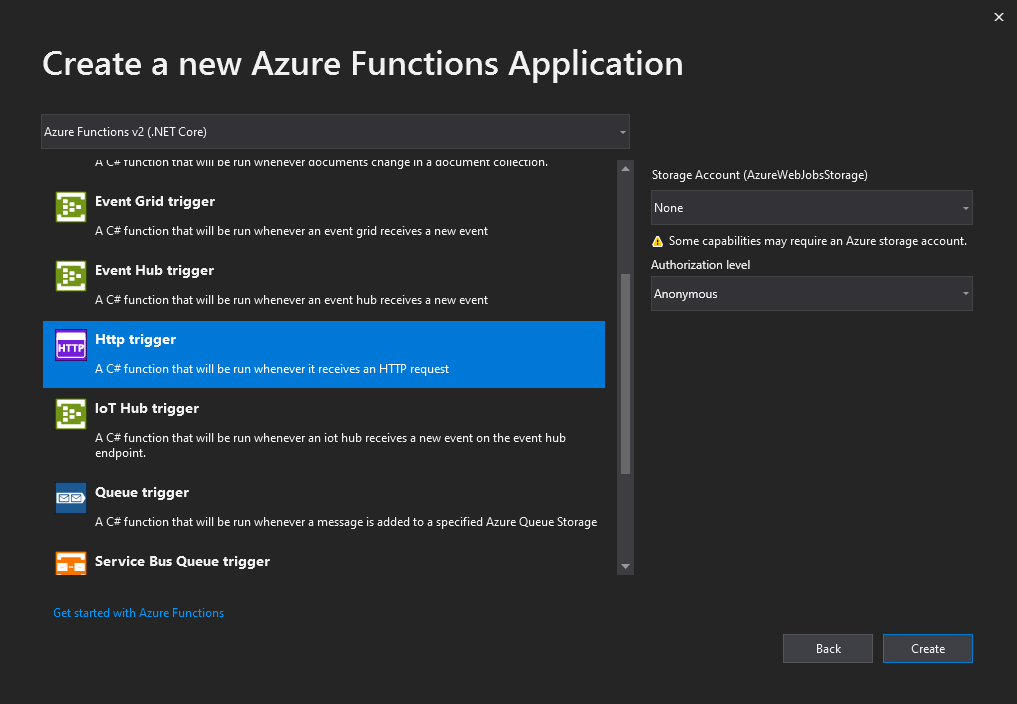
First let’s open Visual Studio and create a new Azure Function :
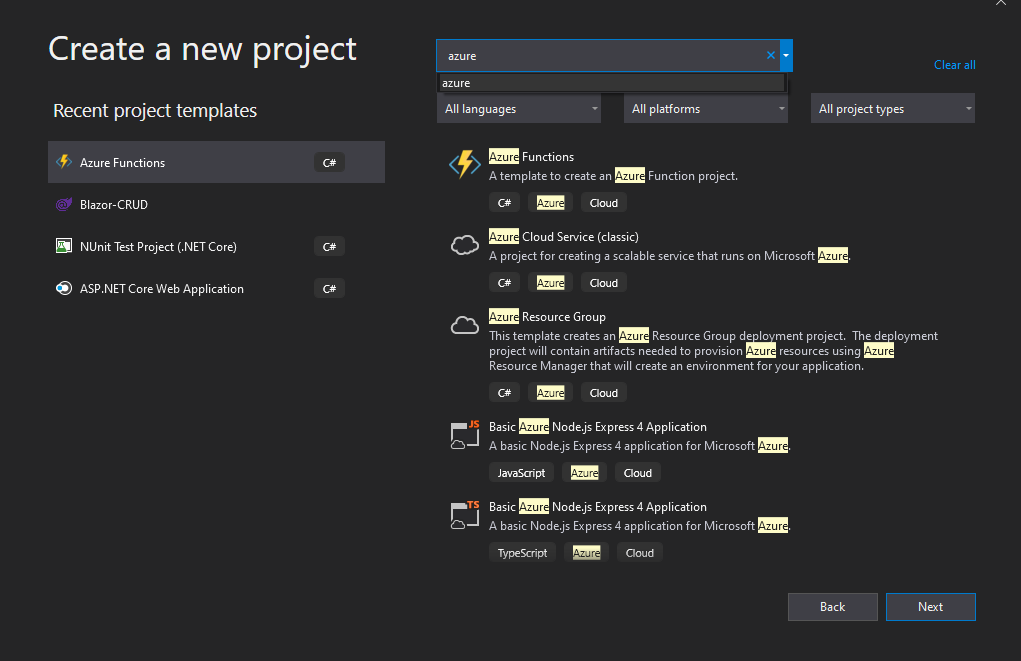
Since we are not going to use blob storage this time let’s keep it to None and for authorization for the demo we use anonymous .
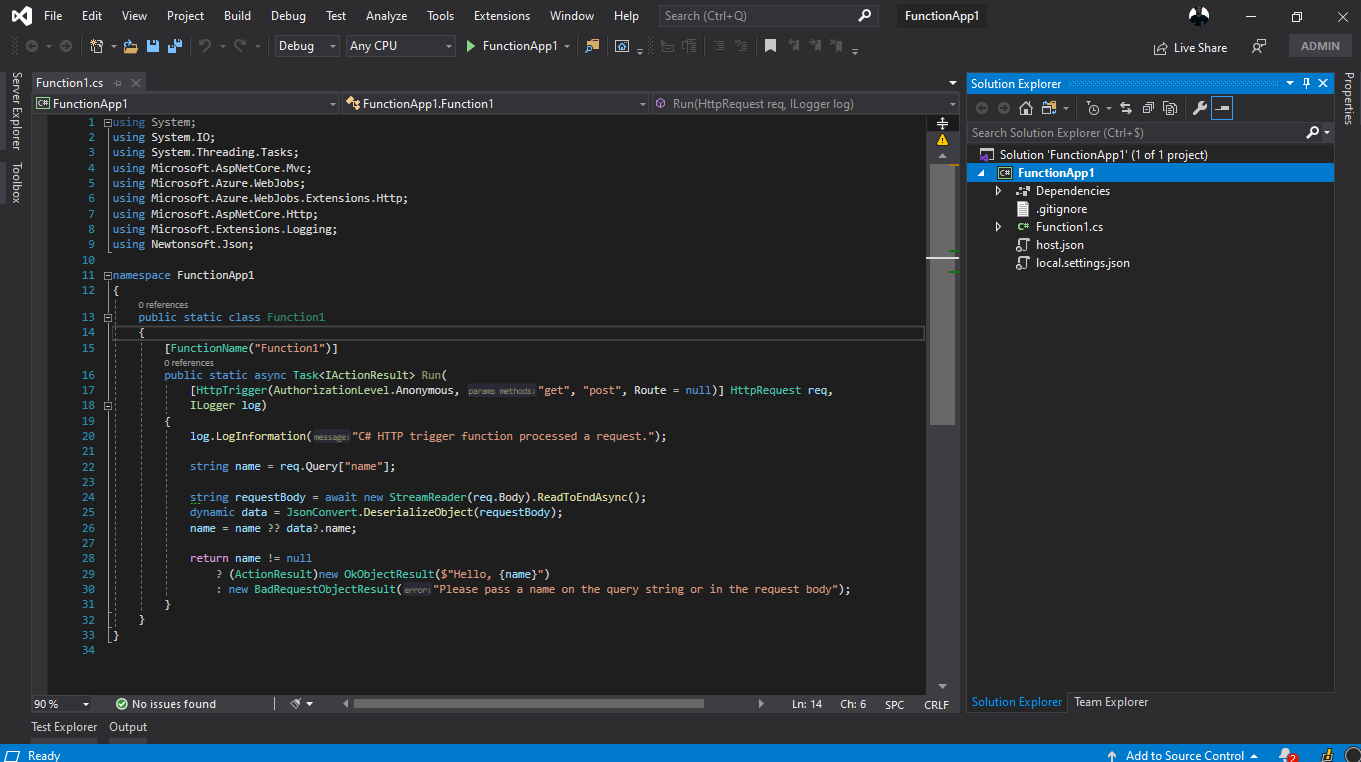
Now we have our function ready to publish .

Now clique right on the project and choose publish as in picture below :
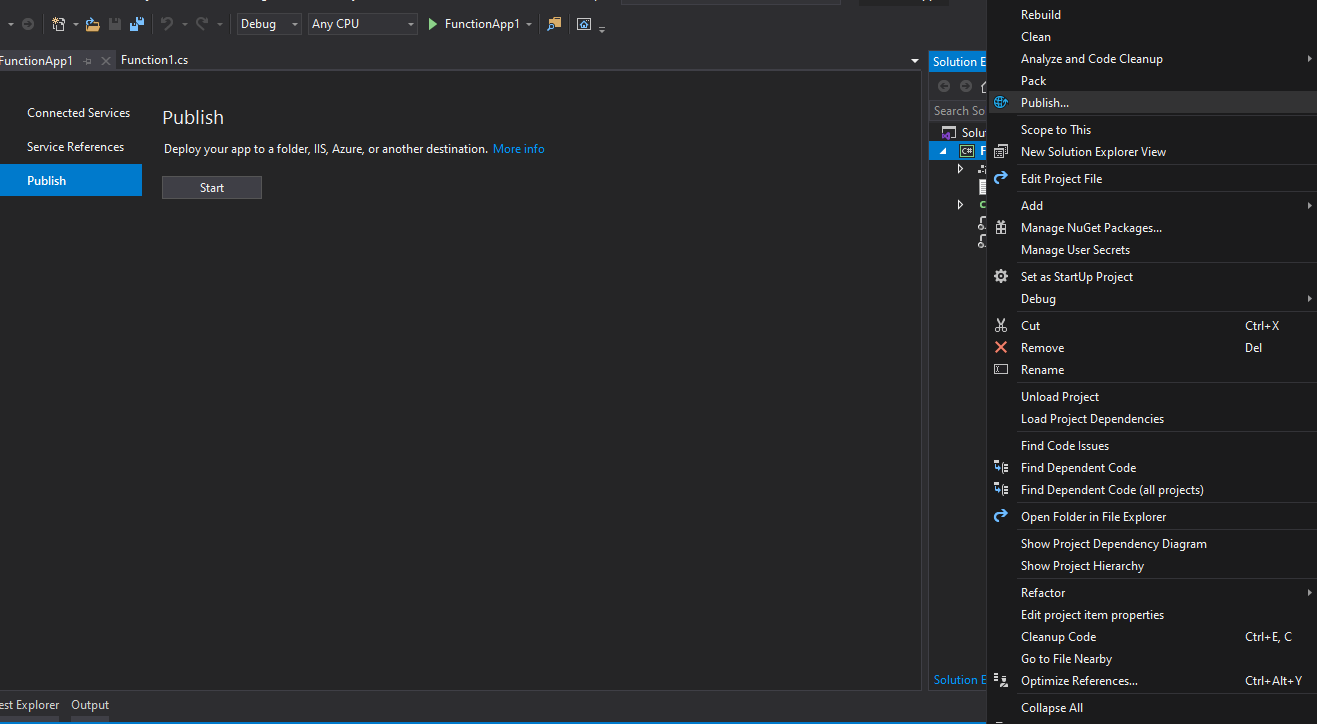
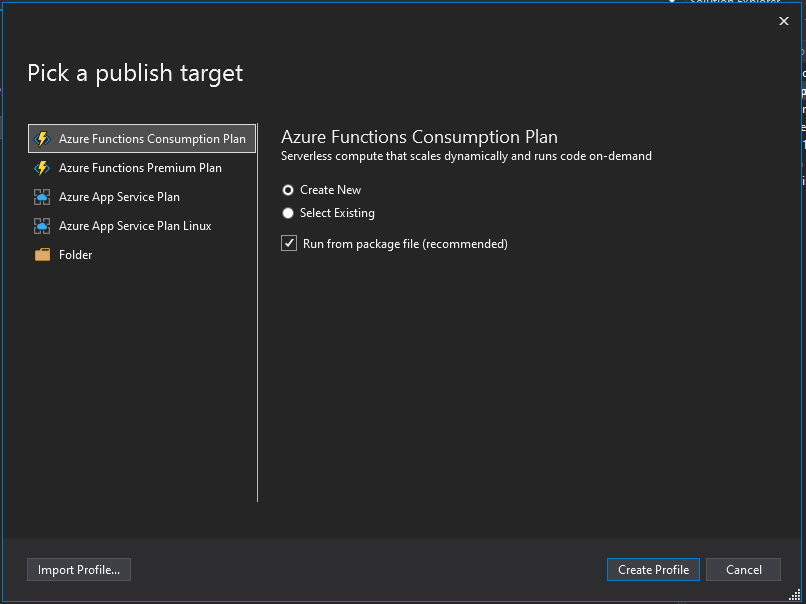
We are going to create a new Azure function in our azure account , as a plan I’m going to choose consumption plan which is billed based on per-second resource consumption and executions. Consumption plan pricing includes a monthly free grant of 1 million requests and 400,000 GB-s of resource consumption per month per subscription in pay-as-you-go pricing across all function apps in that subscription .

Azure Functions Premium plan provides enhanced performance and is billed on a per second basis based on the number of vCPU-s and GB-s your Premium Functions consume. Customers can also run Functions within their App Service plan at regular App Service plan rates.

More details from here : https://azure.microsoft.com/en-us/pricing/details/functions/

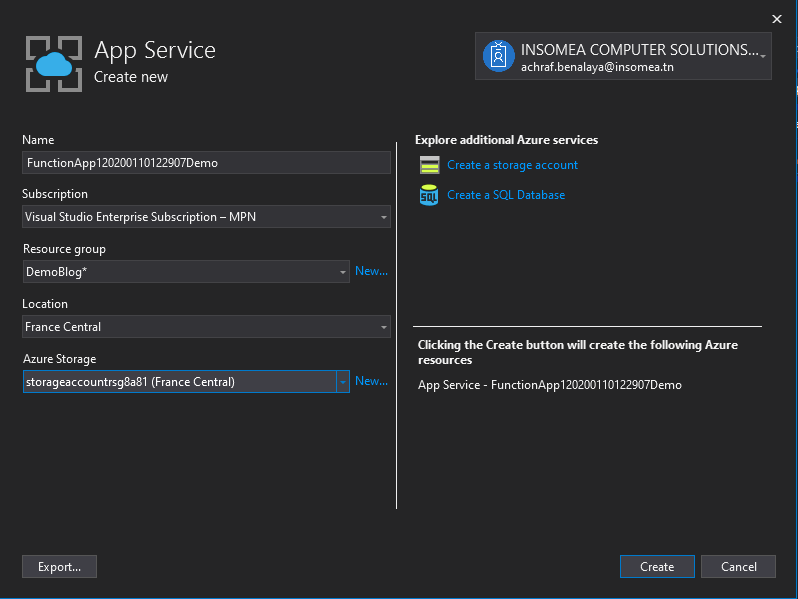
Now let’s create our profile :
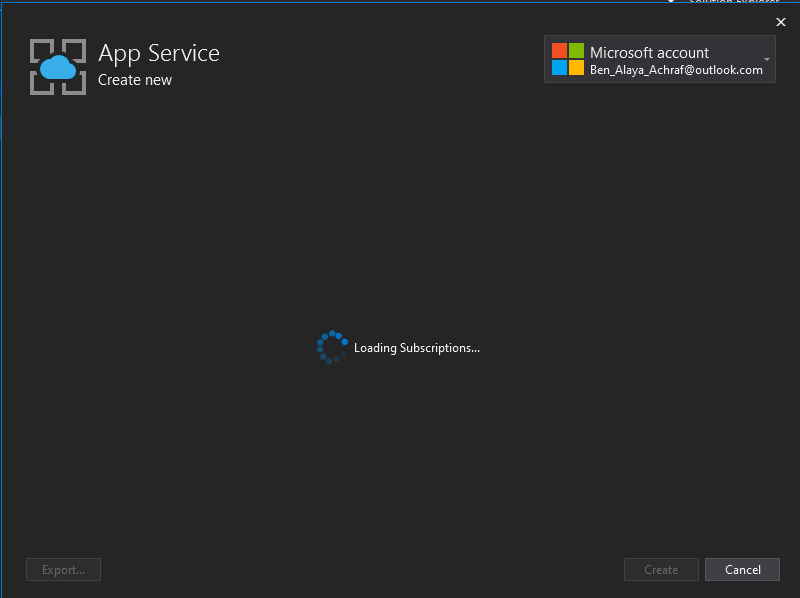
Now we need to choose a subscription ,a resource groupe , in my case i created a new one .
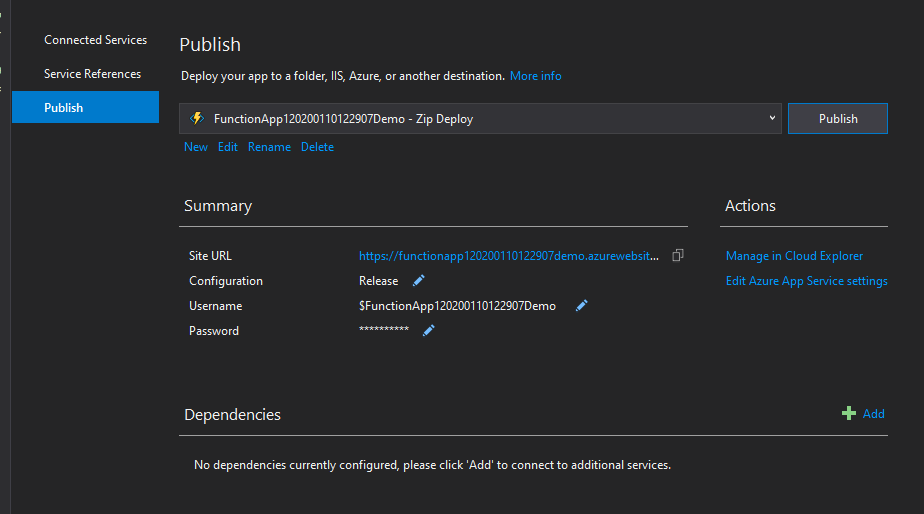
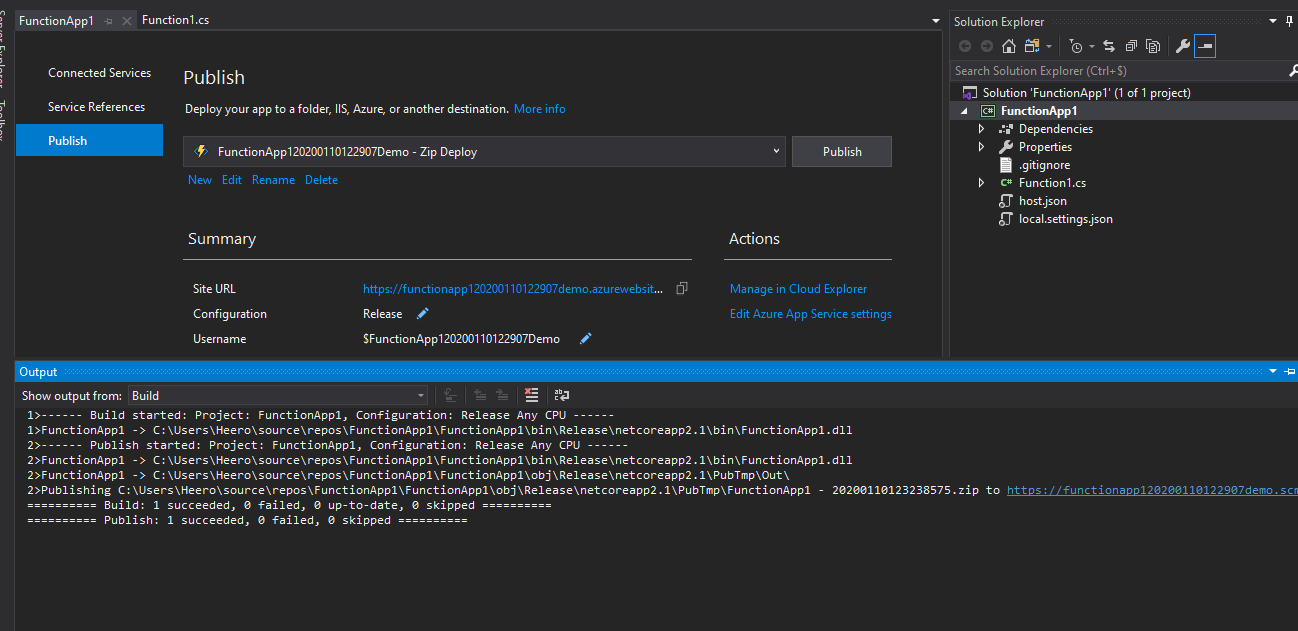
And now we have successfully published our function
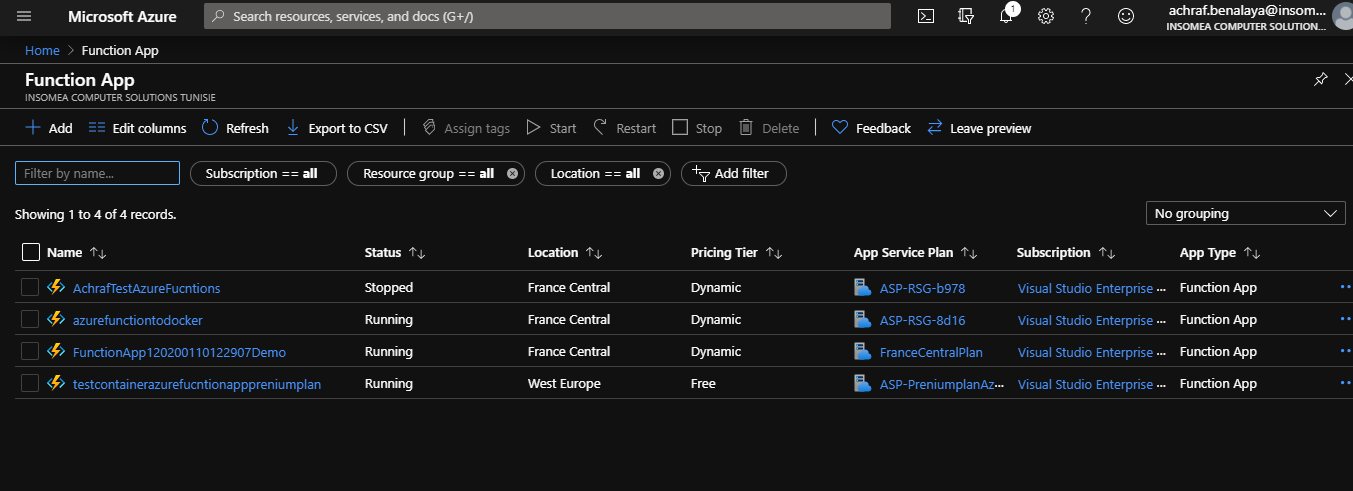
If we open our azure portal now , and look for azure functions ,we can see that we have a new Function added :
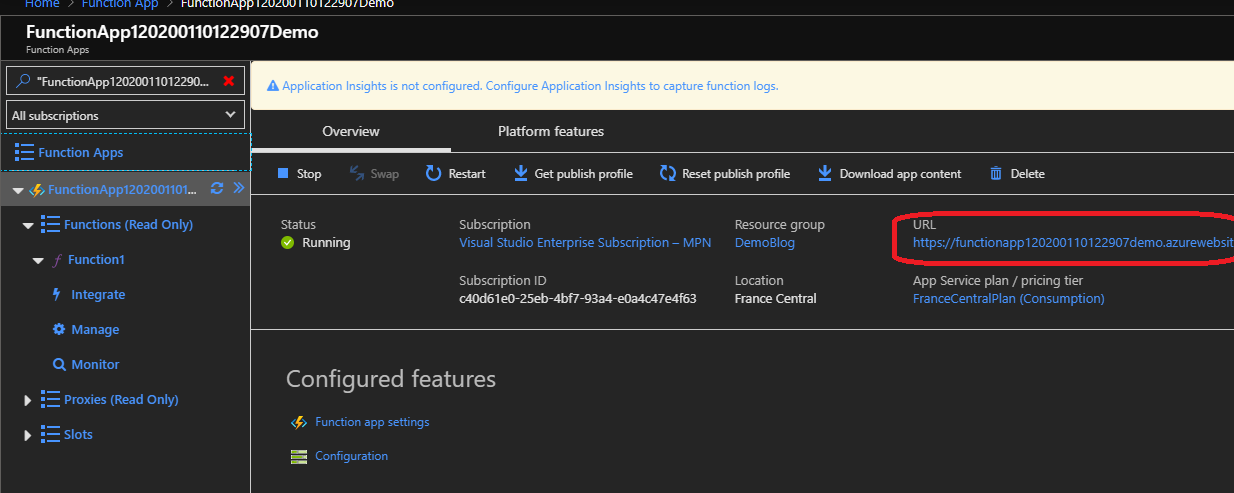
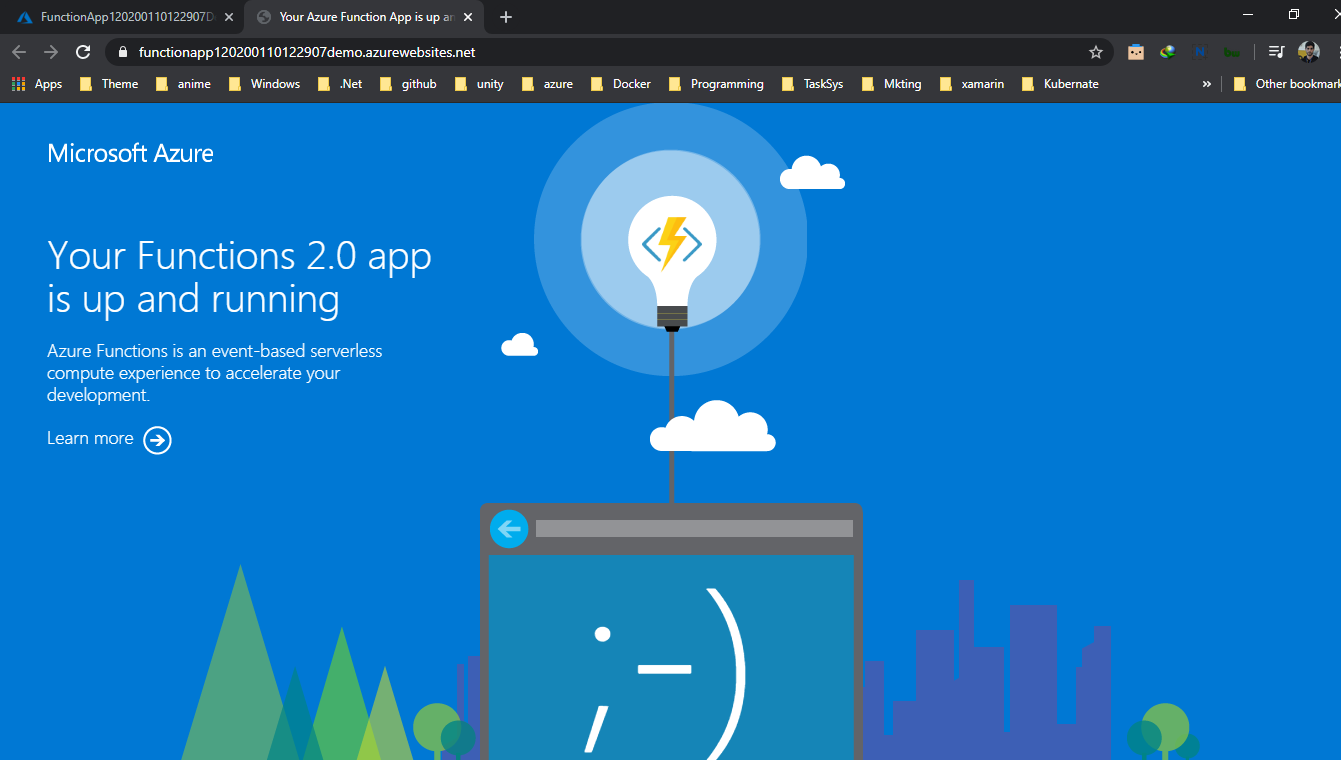
If we clique the URL , we have our function up and running
Now let’s explore our function ,by clicking on it
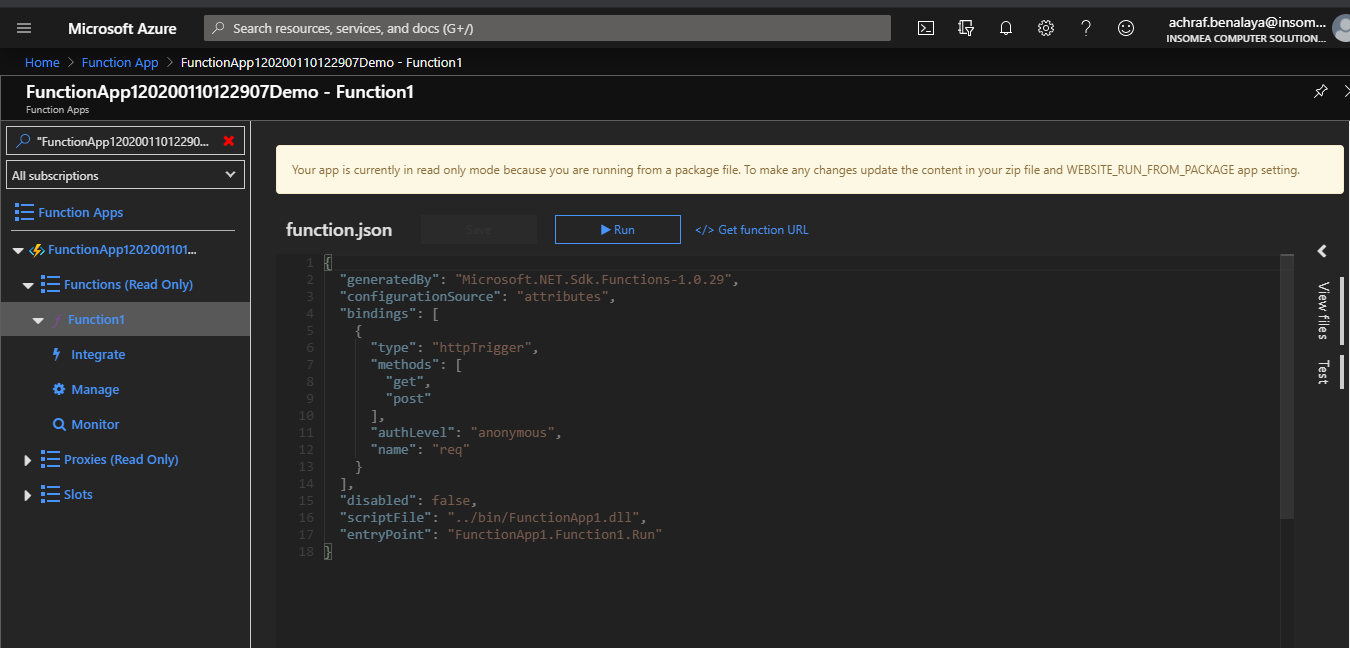
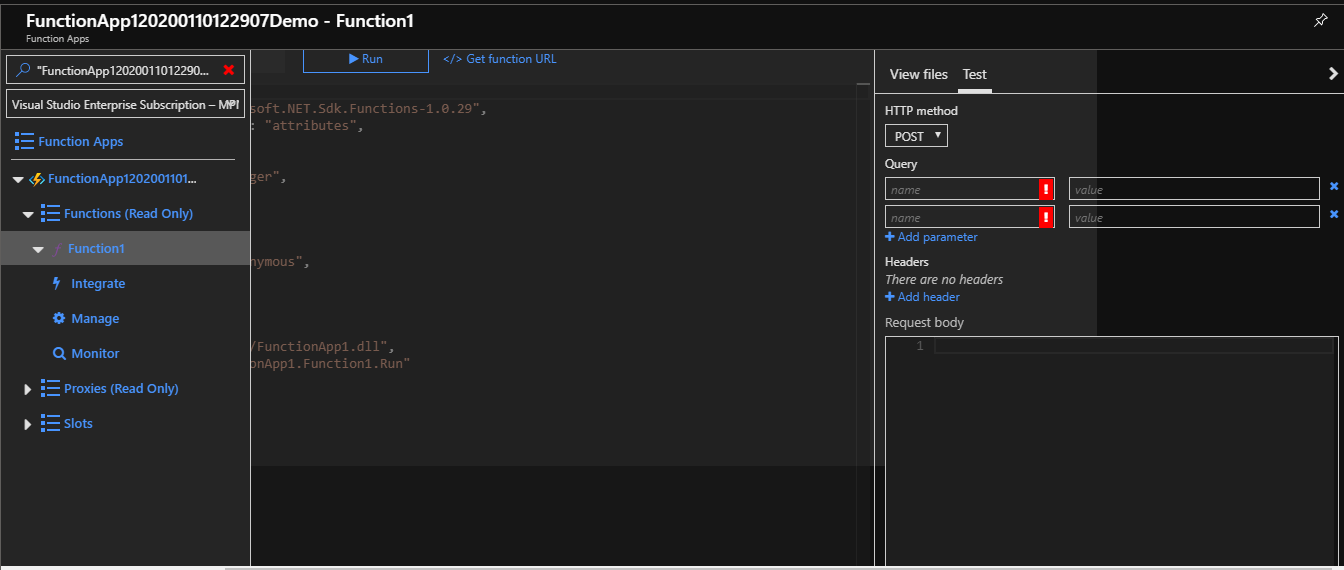
Now one of the coolest things I find here is we can test the function directly from the portal , if you are familiar with Postman it’s just like it .
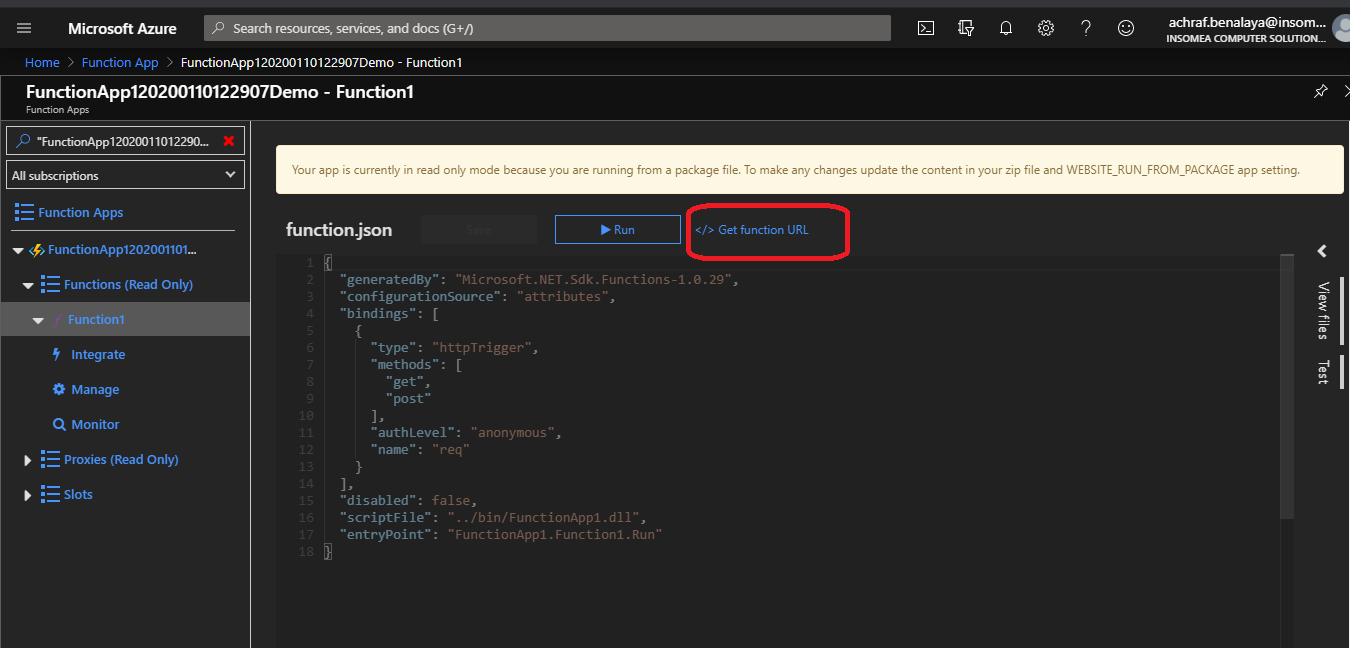
But , as usual I prefer using the generated link :
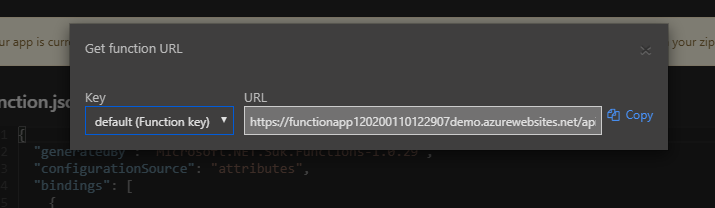
now don’t forget to add the parameters :
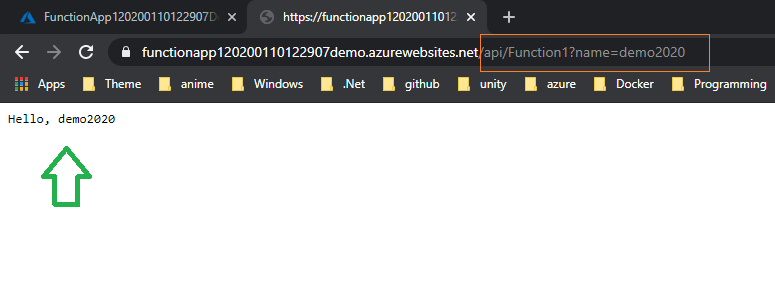
And like that , now we have our function ready for work .

Now , what if we want to use continuous integration and continuous deployment (CI/CD) or maybe write Unit test ?

How can we do that ? and is there more than one way to do it ?

I guess now you know the content of our next blog post .

Happy azure day =)

 

ShareTweet
Previous Post

Azure Function to Upload Data to Azure Blob

Next Post

Deploy azure function from Docker Hub CI/CD

Related Posts

Blog

 2025 – Certifications, Community, and 50K Views

December 28, 2025
18
Azure

From Manual Terraform to AI-Assisted DevOps: Building an Azure Container Platform (Part 1)

December 23, 2025
14
AI

Build and Host an Expense Tracking MCP Server with Azure Functions

November 2, 2025
701
Azure

Log Analytics Workspace Chaos: How We Tamed 100+ Orphaned Workspaces

October 17, 2025
195
Azure

Honored to be recognized as a Microsoft Azure MVP for 2025-2026

July 20, 2025
132
AI

Model Context Protocol (MCP): The Future of AI Integration

April 21, 2025
309
Next Post
Deploy azure function from Docker Hub CI/CD

Deploy azure function from Docker Hub CI/CD

Leave a Reply Cancel reply

Your email address will not be published. Required fields are marked *

Terraform

Certifications

Microsoft certified trainer (MCT)

Recommended

How to setup nginx reverse proxy for aspnet core apps with and without  Docker compose

How to setup nginx reverse proxy for aspnet core apps with and without Docker compose

November 23, 2022
2.1k
Azure Function to Upload Data to Azure Blob

Azure Function to Upload Data to Azure Blob

August 29, 2020
3.5k
15 E-books that focus on learning Microsoft Azure Cloud

15 E-books that focus on learning Microsoft Azure Cloud

April 23, 2023
237
Installing WordPress with docker image of XAMPP

Installing WordPress with docker image of XAMPP

April 21, 2020
1.2k
Blazor Write C# instead of JavaScript to Build a Client-Side Single-Page App

Blazor Write C# instead of JavaScript to Build a Client-Side Single-Page App

April 19, 2020
746
Migrate and modernize your applications on Azure

Migrate and modernize your applications on Azure – Part – 00 (creating .Net 5.0 application )

March 29, 2021
353
Facebook Twitter LinkedIn Youtube

 2025 – Certifications, Community, and 50K Views

December 28, 2025

From Manual Terraform to AI-Assisted DevOps: Building an Azure Container Platform (Part 1)

December 23, 2025

Build and Host an Expense Tracking MCP Server with Azure Functions

November 2, 2025

Categories

  • AI (3)
  • Apps (1)
  • Azure (67)
  • blazor (2)
  • Blog (94)
  • c# (7)
  • Cloud (69)
  • Courses (4)
  • Dapr (4)
  • docker (4)
  • Games (1)
  • General Tips & Fix (1)
  • Home (1)
  • Kubernetes Service (AKS) (1)
  • motivation (2)
  • Motivation (3)
  • News (9)
  • Resume (1)
  • sql (4)
  • Terrafrom (2)
  • Tricks, Tips and Fixes (4)
  • xamarin (5)
No Result
View All Result
  • Home
  • News
  • Blog
    • blazor
    • c#
    • Cloud
      • Azure
    • docker
    • sql
    • xamarin
    • Dapr
    • Tricks, Tips and Fixes
    • General Tips & Fix
  • AI
  • Cloud
  • Motivation
  • Courses
  • About
    • Resume
    • Privacy Policy