Achraf Ben Alaya
No Result
View All Result
  • Home
  • News
  • Blog
    • blazor
    • c#
    • Cloud
      • Azure
    • docker
    • sql
    • xamarin
    • Dapr
    • Tricks, Tips and Fixes
    • General Tips & Fix
  • AI
  • Cloud
  • Motivation
  • Courses
  • About
    • Resume
    • Privacy Policy
SUBSCRIBE
  • Home
  • News
  • Blog
    • blazor
    • c#
    • Cloud
      • Azure
    • docker
    • sql
    • xamarin
    • Dapr
    • Tricks, Tips and Fixes
    • General Tips & Fix
  • AI
  • Cloud
  • Motivation
  • Courses
  • About
    • Resume
    • Privacy Policy
No Result
View All Result
Achraf Ben Alaya
No Result
View All Result
ADVERTISEMENT
Home Blog xamarin

Why you need to ensure updating your Xamarin.Android Application to Supports 64-Bit Devices and how to do that .

achraf by achraf
April 21, 2020
in xamarin
2 min read
0
Why you need to ensure updating your Xamarin.Android Application to Supports 64-Bit Devices and how to do that .
0
SHARES
534
VIEWS
Share on FacebookShare on Twitter

Why you need to ensure updating your Xamarin.Android Application to Supports 64-Bit Devices and how to do that .

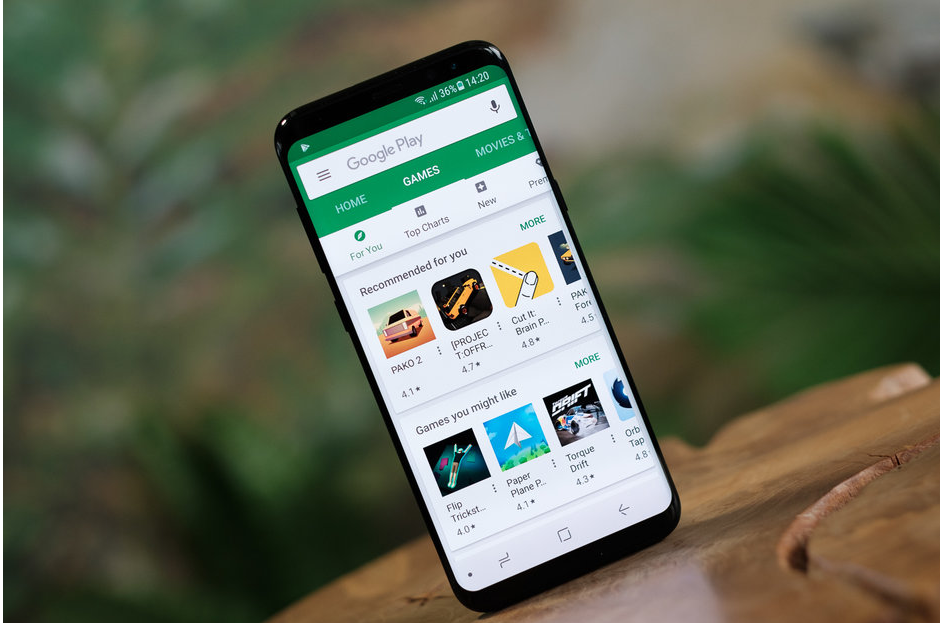
On July 9, 2019 , Like every app developer that has an application on play store , I received this email from google with a subject : Action required: Update your apps to be 64-bit compliant by August 1, 2019 .

After reading the headline, I was worried a bit , what does this mean ? and why do I need to update it by August 1st 2019 ?

Let’s start by reading and understanding the Email .
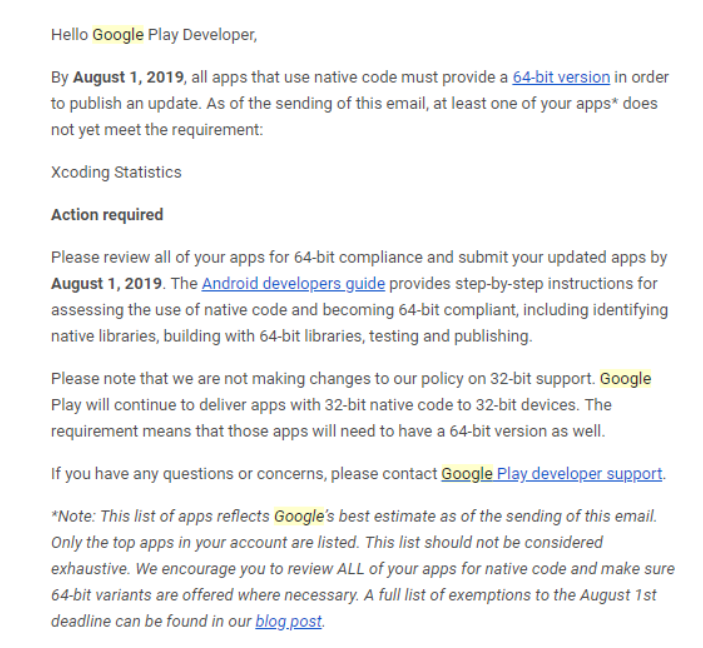
Now after reading this email , we understand that From August 1st this year, all new apps and app updates that include native code must have 64-bit versions as well as 32-bit versions when publishing to Google Play.

But , Starting from August 1st, 2021, Google Play won’t serve apps without 64-bit versions on 64-bit capable devices. Users with 64-bit devices simply won’t only see 32-bit apps in Google Play,but also games built with Unity 5.6 or older.
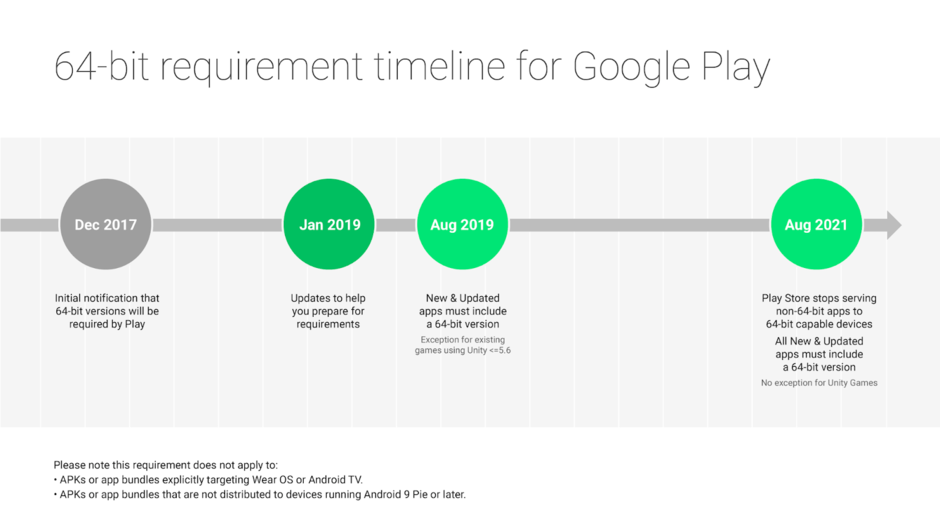
Now how to make sure that our Xamarin.android app is up to date with this change .

First , you need to select your android project and clique properties and then you need to go to android option :
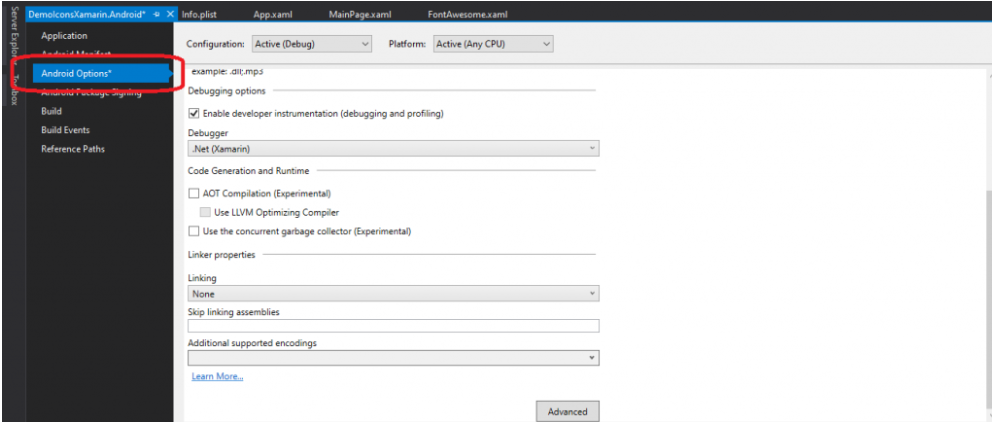
After that you need to clique on Advanced and at least you need to choose : armeabi-v7a and arm64-v8a .
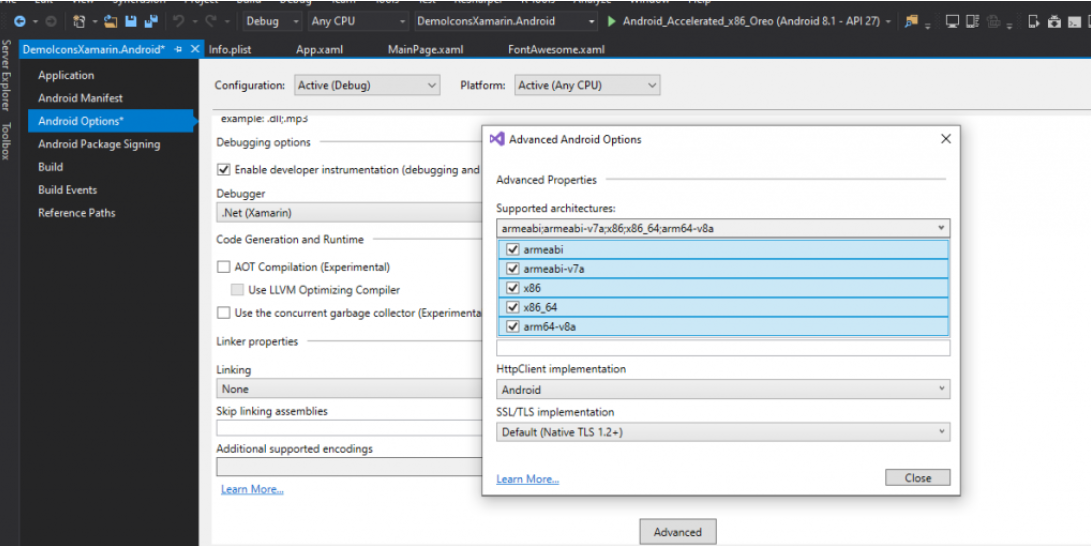
Now as you can see , I’m in Debug mode , you should make sure to do that on release mode too .

Happy 64-bit day 🙂

ShareTweet
Previous Post

Access Microsoft Azure Courses On Pluralsight for Free

Next Post

Xamarin.forms,Blazor and Web API

Related Posts

Animations with Lottie in Xamarin Forms
Blog

Animations with Lottie in Xamarin Forms

April 26, 2020
1.1k
Font Awesome ,Bootstrap and Material Font Icons For Xamarin.Forms
Blog

Font Awesome ,Bootstrap and Material Font Icons For Xamarin.Forms

April 26, 2020
940
Xamarin.forms,Blazor and Web API
xamarin

Xamarin.forms,Blazor and Web API

December 3, 2020
1.3k
Finally a stable version of Xamarin.Forms 4.1.0 and announcing Xamarin.Essentials 1.2
xamarin

Finally a stable version of Xamarin.Forms 4.1.0 and announcing Xamarin.Essentials 1.2

April 21, 2020
720
Next Post
Xamarin.forms,Blazor and Web API

Xamarin.forms,Blazor and Web API

Leave a Reply Cancel reply

Your email address will not be published. Required fields are marked *

Terraform

Certifications

Microsoft certified trainer (MCT)

Recommended

Azure Policy for governance

Azure Policy for governance

August 29, 2020
1.5k
Goodbye my lover Xamarin, Hello MAUI!

Goodbye my lover Xamarin, Hello MAUI!

September 25, 2020
614
PowerShell Automation for Azure Networks: Detailed VNET and Subnet Analysis

PowerShell Automation for Azure Networks: Detailed VNET and Subnet Analysis

November 2, 2024
809
Configuring Self-hosted Agent In Azure DevOps Pipeline

Configuring Self-hosted Agent In Azure DevOps Pipeline

April 13, 2023
1.4k
Dapr – Service Invocation Part 1/2

Dapr – Service Invocation Part 1/2

August 17, 2021
871
Microsoft Teams

What’s new in Microsoft Teams

September 4, 2020
326
Facebook Twitter LinkedIn Youtube

 2025 – Certifications, Community, and 50K Views

December 28, 2025

From Manual Terraform to AI-Assisted DevOps: Building an Azure Container Platform (Part 1)

December 23, 2025

Build and Host an Expense Tracking MCP Server with Azure Functions

November 2, 2025

Categories

  • AI (3)
  • Apps (1)
  • Azure (67)
  • blazor (2)
  • Blog (94)
  • c# (7)
  • Cloud (69)
  • Courses (4)
  • Dapr (4)
  • docker (4)
  • Games (1)
  • General Tips & Fix (1)
  • Home (1)
  • Kubernetes Service (AKS) (1)
  • motivation (2)
  • Motivation (3)
  • News (9)
  • Resume (1)
  • sql (4)
  • Terrafrom (2)
  • Tricks, Tips and Fixes (4)
  • xamarin (5)
No Result
View All Result
  • Home
  • News
  • Blog
    • blazor
    • c#
    • Cloud
      • Azure
    • docker
    • sql
    • xamarin
    • Dapr
    • Tricks, Tips and Fixes
    • General Tips & Fix
  • AI
  • Cloud
  • Motivation
  • Courses
  • About
    • Resume
    • Privacy Policy